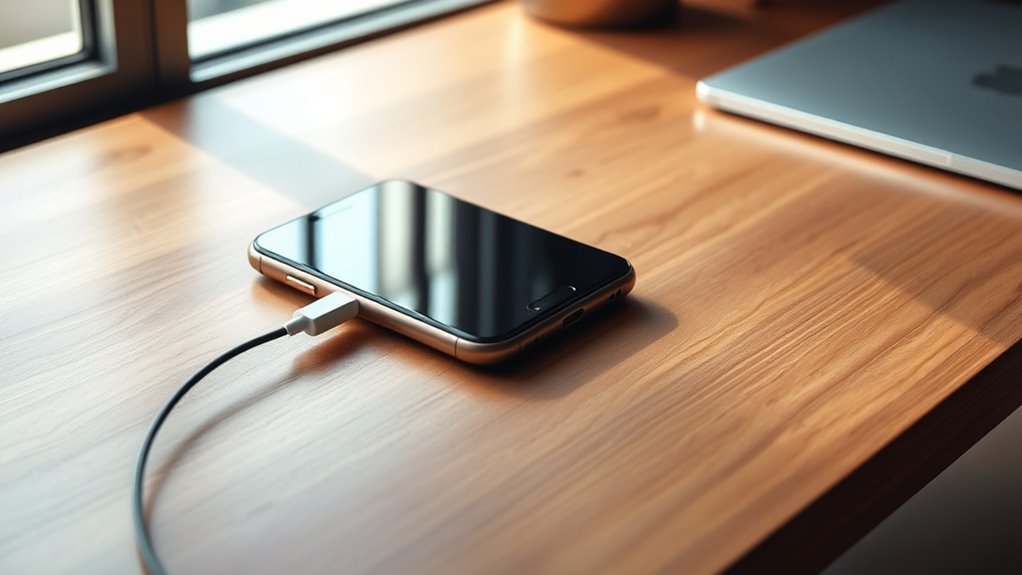

To maximize your battery’s lifespan, follow smart charging habits like keeping charge levels between 20% and 80%, avoiding overnight charging, and unplugging once it hits around 80%. Use original or certified chargers and cables to prevent power issues. Keep your device in a cool, dry environment during charging and avoid extreme temperatures. Regular calibration can also help maintain accuracy. Continue exploring these best practices to keep your device performing its best over time.
Key Takeaways
- Use original or certified chargers and cables to ensure proper voltage and current delivery.
- Keep battery charge levels between 20% and 80% for optimal health.
- Avoid overnight charging and unplug once the battery reaches around 80%.
- Charge your device in a cool, dry environment, avoiding extreme temperatures.
- Perform battery calibration every few months to maintain accurate capacity estimation.
To guarantee your devices last longer, adopting proper charging habits is essential. One of the most effective ways to do this is by understanding the importance of battery calibration. Over time, your device’s battery can develop inaccurate readings of its charge level, leading to unexpected shutdowns or inaccurate battery percentage displays. To prevent this, it’s a good idea to occasionally calibrate your battery. This process involves fully charging your device to 100%, then letting it drain completely until it turns off. Afterward, recharge it uninterrupted to full capacity. Regular calibration helps your device’s software better estimate the actual battery capacity, ensuring more reliable battery life and avoiding early replacement. Remember, calibration isn’t something you need to do frequently—about once every few months suffices—yet neglecting it can cause frustration and reduce your device’s efficiency.
In addition to calibration, paying attention to your charging accessories plays a crucial role in preserving battery health. Using original or certified chargers and cables ensures your device receives the proper voltage and current, which is essential for maintaining battery longevity. Cheap or incompatible charging accessories can deliver inconsistent power, causing stress on the battery and accelerating its degradation. It’s tempting to use third-party chargers for convenience or savings, but always verify they meet safety standards and are compatible with your device. Moreover, avoid overusing multiple charging accessories simultaneously, as this can lead to power fluctuations that harm the battery. When charging, opt for quality accessories that provide steady power flow, and replace any worn or damaged cables immediately. This attention to your charging accessories minimizes the risk of damaging your battery and ensures your device charges efficiently.
Beyond calibration and accessories, adopting mindful charging habits greatly impacts battery health. Try to keep your device’s charge level between 20% and 80% whenever possible, avoiding constant full charges or deep discharges. Charging your device overnight or leaving it plugged in for extended periods can also cause unnecessary stress on the battery, especially if your device doesn’t have sophisticated power management. If you need to leave your device plugged in for a long time, consider removing the charging cable once it reaches about 80%. Additionally, avoid exposing your device to extreme temperatures during charging, as heat is one of the primary factors that accelerate battery deterioration. Using smart charging practices, combined with proper calibration and quality accessories, helps extend your device’s overall lifespan, saving you money and hassle in the long run. By paying close attention to these details, you ensure your device stays reliable and performs at its best for as long as possible.
![iPhone Charger Fast Charging,[MFi Certified] 2Pack 20W Type C Fast Charger Block with [10FT&6FT] USB C to Lightning Cable Compatible for iPhone 14/13/12/11 Pro Max/Xs Max/XR/X,iPad](https://m.media-amazon.com/images/I/41gzwFdaEyL._SL500_.jpg)
iPhone Charger Fast Charging,[MFi Certified] 2Pack 20W Type C Fast Charger Block with [10FT&6FT] USB C to Lightning Cable Compatible for iPhone 14/13/12/11 Pro Max/Xs Max/XR/X,iPad
3X iPhone Fast Charger : PD 3.0 20W USB-C charger with 6ft type c to lightning cord, charges…
As an affiliate, we earn on qualifying purchases.
As an affiliate, we earn on qualifying purchases.
Frequently Asked Questions
How Do Temperature Fluctuations Affect Battery Longevity?
Temperature fluctuations cause thermal stress, which can damage your battery’s internal components, reducing its lifespan. When temperatures vary, your battery experiences expansion and contraction, leading to faster wear. Frequent charge cycling combined with temperature swings accelerates degradation, decreasing overall longevity. To protect your battery, keep it within recommended temperature ranges, avoid rapid charge cycles in extreme heat or cold, and store it in a stable environment to minimize thermal stress.
Can Using Third-Party Chargers Damage My Device?
Using third-party chargers can damage your device if they aren’t compatible or meet safety standards. Compatibility concerns arise because some third-party chargers may not deliver the correct voltage or current, risking battery damage or overheating. Always check if the charger is certified and designed for your device. Investing in reputable, compatible chargers helps safeguard your device’s battery health and ensures safe, reliable charging.
What Is the Optimal Charging Speed for Battery Health?
You should aim for moderate charging speeds to preserve your battery’s health. Fast charging can be convenient, but it increases heat and stress, which accelerates wear over time. To optimize battery longevity, avoid frequent fast charging and stick to regular charging speeds when possible. Limiting fast charges helps reduce the number of charging cycles, ultimately extending your device’s overall battery life.
How Often Should I Calibrate My Device’s Battery?
You should calibrate your device’s battery every 3 to 6 months to maintain accuracy. Studies show that batteries undergo about 300 to 500 charging cycles before capacity drops considerably. During calibration, fully charge and then fully drain your battery to reset the system’s estimates. Regular calibration helps guarantee your battery’s health remains ideal, extending its lifespan and preventing unexpected shutdowns. Keep an eye on your usage patterns for best results.
Does Turning off My Device During Charging Extend Battery Life?
Turning off your device during charging doesn’t substantially extend battery life. Instead, focus on good charging habits like avoiding frequent full discharges and minimizing rapid charging cycles. Battery cycling, which involves repeatedly charging and discharging your battery, impacts longevity, so maintaining moderate charge levels helps. Keeping your device on or off while charging makes little difference; consistent, mindful charging habits are more effective for preserving your battery’s health over time.
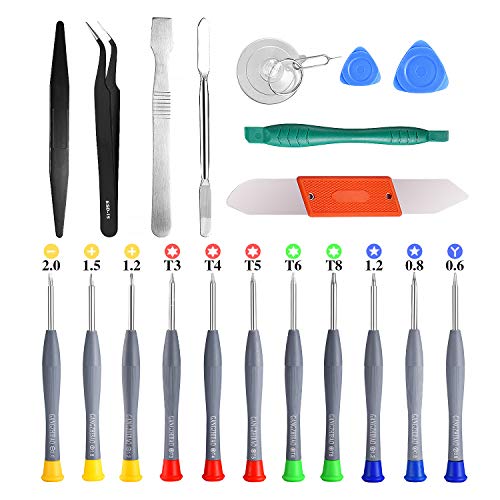
21pcs Precision Screwdriver Set Magnetic,GangZhiBao Repair Tools Kit for Fix Phone/iphone,Computer/PC,Tablet/Pad,Watch,PS4 – Replace Screen Battery Camera Small Electronics Open Pry Tool Kits Sets DIY
PentalobeScrewdriver Set: p5 Pentalobe screwdriver,PH000 Phillips Screwdriver, Pentalobe T5 Pentalobe T6 Screwdrivers Repair Tool Kit for Apple MacBook…
As an affiliate, we earn on qualifying purchases.
As an affiliate, we earn on qualifying purchases.
Conclusion
By following these charging best practices, you’ll keep your device’s battery healthy and extend its lifespan. Remember, a little care goes a long way—think of it as giving your battery the right fuel to keep it running smoothly. Don’t wait until it’s too late; treat your device with the respect it deserves. In the end, staying proactive is the secret to ensuring your battery remains a reliable companion for years to come.

IDISON Multi Charging Cable(3Pack 4FT), 3 in 1 Charging Cable for Multiple Devices, USB-A Multi Charger Cord with Type-C, Micro USB and IP Port for iPhone 16/15/14/13/iPad/Android/Tablets and More
In the beginning of 2008, IDISON created a team designed exclusively to focus on charging cables. 16 years…
As an affiliate, we earn on qualifying purchases.
As an affiliate, we earn on qualifying purchases.

iHealth Track Pro Upper Arm Blood Pressure Monitor, Full-View LED Screen, Body & Cuff Detection, App-Enabled for iOS & Android, Adjustable Cuff Large Adults Arm Friendly
HD Screen for Clear Readings: Features a wide-angle LED display that stays clear from any viewpoint. The red/yellow/green…
As an affiliate, we earn on qualifying purchases.
As an affiliate, we earn on qualifying purchases.