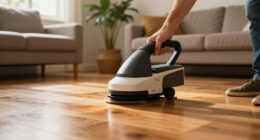
Maintaining your Dyson V15 Detect™ Origin Cordless Vacuum ensures optimal performance and longevity. Regular care prevents common issues and keeps your cleaning efficient. This guide provides clear, safe steps for routine maintenance and troubleshooting.

Get cleaning gear delivered free with Prime
- Fast, free delivery on millions of items
- Prime Video, Amazon Music and more included
- Member-only deals all year
Follow these instructions carefully to keep your vacuum in top shape, from filter replacements to brush cleaning and motor checks.
Key Takeaways
| Routine Filter Maintenance | Replace or clean filters every 2-3 months for peak suction. |
| Cleaning the Brush Bar | Remove hair and debris to prevent clogging and motor strain. |
| Checking for Blockages | Inspect and clear obstructions in the wand and cleaner heads. |
| Battery & Power Troubleshooting | Ensure proper charging and look for LCD alerts for issues. |
Step 1: Regular Filter Cleaning and Replacement
- Remove the filter from the vacuum according to the user manual.
- Rinse the filter under cold water until clear, then shake out excess water.
- Allow the filter to air dry completely for at least 24 hours before reinserting.
Step 2: Check and Clean the Brush Bar
- Detach the cleaner head from the vacuum.
- Use scissors or a brush to remove tangled hair and debris from the brush bar.
- Reattach the cleaner head securely and test the vacuum.
Step 3: Inspect for Blockages
- Disconnect the wand and cleaner head.
- Check the wand, cleaner head, and crevice tool for obstructions.
- Remove any debris carefully to restore airflow.
Step 4: Troubleshoot Power and Battery Issues
- Ensure the vacuum is fully charged and the charging dock is connected properly.
- If LCD displays alerts, follow prompts or reset the vacuum.
- Replace the battery if the run time significantly decreases.
Tips and Warnings
- Always turn off and unplug the vacuum before maintenance.
- Avoid using harsh chemicals on filters or plastic parts.
- Ensure filters are completely dry before reinstalling to prevent mold growth.
The Products in This Guide
Dyson V15 Detect™ Origin Cordless Vacuum

The Dyson V15 Detect™ Origin offers deep cleaning with innovative features like laser dust detection and intelligent power adjustment. Regular maintenance will keep it running smoothly and maximize its lifespan.
Pros:
- Strong suction power
- Advanced dust detection
- Long battery life
- Intuitive LCD display
Cons:
- Filter cleaning required regularly
- Slightly heavier than some models
- Price point may be high for some
Best for: Whole-home deep cleaning, pet hair removal, hard floors and carpets
Not ideal for: For users seeking ultra-lightweight or budget-friendly options
Bottom line: A top-tier cordless vacuum that combines power, intelligence, and ease of maintenance.
LANMU Crevice Tool Vacuum Attachments Compatible

The LANMU Crevice Tool Vacuum Attachments are compatible with Dyson models and feature a slim, flexible design that navigates into tight spaces, perfect for cars and corners.
Pros:
- Narrow nozzle for precision
- Easy to attach
- Versatile use
- Durable construction
Cons:
- Not compatible with V6 or canister models
- May require additional storage space
Best for: Cleaning tight corners, car interiors, and between furniture
Not ideal for: For general cleaning or larger debris
Bottom line: A versatile, slim attachment that simplifies cleaning in hard-to-reach areas.
Frequently Asked Questions
How often should I replace the filters?
Replace or clean the filters every 2-3 months to maintain optimal suction and air quality.
Can I wash the filters?
Yes, filters are washable. Rinse with cold water, dry thoroughly for at least 24 hours before reusing.
What should I do if the vacuum won’t turn on?
Ensure it’s charged, check for blockages, and reset if necessary. Consult the troubleshooting section if issues persist.
How do I know when the battery needs replacing?
If run time decreases significantly or the vacuum fails to hold a charge, consider replacing the battery.
Keep Your Dyson V15 Detect™ in Peak Condition
Regular maintenance of your Dyson V15 Detect™ Origin Cordless Vacuum ensures it performs at its best for years to come. Follow the steps outlined for filter cleaning, brush maintenance, and troubleshooting to prevent issues and extend its lifespan.
A little regular care goes a long way in maintaining powerful cleaning performance and saving you time and money in the long run.
Affiliate disclosure: As an Amazon Associate we earn from qualifying purchases. Prices and availability are accurate as of the time of publishing.
Halloween Picks
halloween
As an affiliate, we earn on qualifying purchases.