
If your Dyson V15 Detect™ Origin Cordless Vacuum is pulsing on and off during cleaning, it can disrupt your workflow and reduce cleaning efficiency. This common issue often stems from blockages, filter problems, or battery concerns. Luckily, with some simple troubleshooting steps, you can restore your vacuum’s performance and enjoy uninterrupted cleaning.
Open a free Amazon Business account
Business pricing, bulk buying and tax-exempt orders.
Create a free accountAs an affiliate, we earn on qualifying purchases.
In this guide, we’ll walk you through the causes of pulsing, how to diagnose them, and safe, effective fixes to get your Dyson back to peak performance.
Key Takeaways
| Cause of pulsing | Blockages, filter issues, or battery problems can cause pulsing. |
| Importance of filters | Clogged or dirty filters often lead to power fluctuations. |
| Check for blockages | Debris in the wand or cleaner head can disrupt airflow. |
| Battery health | A worn-out battery may cause inconsistent power. |
| Regular maintenance | Cleaning filters and checking for blockages prevents issues. |

Dyson V15 Detect™ Origin Cordless Vacuum
- Deep cleaning with intelligent dust detection: Reveals invisible dust for thorough cleaning
- Enhanced power and runtime: 100% more power, 60-minute battery life
- Energy-efficient power trigger: Uses power only when needed
As an affiliate, we earn on qualifying purchases.
Step 1: Turn Off and Unplug Your Vacuum
Before starting any troubleshooting, ensure your Dyson is turned off and unplugged. This guarantees safety while inspecting or cleaning internal components.
Step 2: Check for Blockages
- Detach the wand and cleaner head from the main body.
- Inspect the wand, brush bar, and cleaner head for debris or obstructions.
- Clear any blockages using a long, flexible brush or cloth.
- Reassemble and test the vacuum.
Step 3: Clean or Replace the Filters
- Remove the pre-filters and main filters according to the user manual.
- Wash the filters with cold water — do not use soap or detergents.
- Allow filters to air dry completely, typically 24 hours, before reinstalling.
- Replace filters if they are damaged or excessively dirty.
Step 4: Check Battery and Connection
If pulsing persists, ensure the battery is properly seated and not degraded. For cordless models, a worn battery can cause power fluctuations.
Consider replacing the battery if it no longer holds charge or causes intermittent power issues.
Step 5: Perform a Reset
Some Dyson models benefit from a simple reset. Turn off the vacuum, remove the battery if possible, wait a few minutes, then reattach and power on to see if the pulsing stops.
The Products in This Guide

Dyson V15 Detect™ Origin Cordless Vacuum
- ✔ Noise Level: 78dB
- ✔ Charge Time: 3.5 hours
- ✔ Warranty: 2 years

LANMU Crevice Tool Vacuum Attachments Compatible
- ✔ Length: 15 inches
- ✔ Nozzle Width: 1.2 inches
- ✔ Warranty: 6 months
Dyson V15 Detect™ Origin Cordless Vacuum
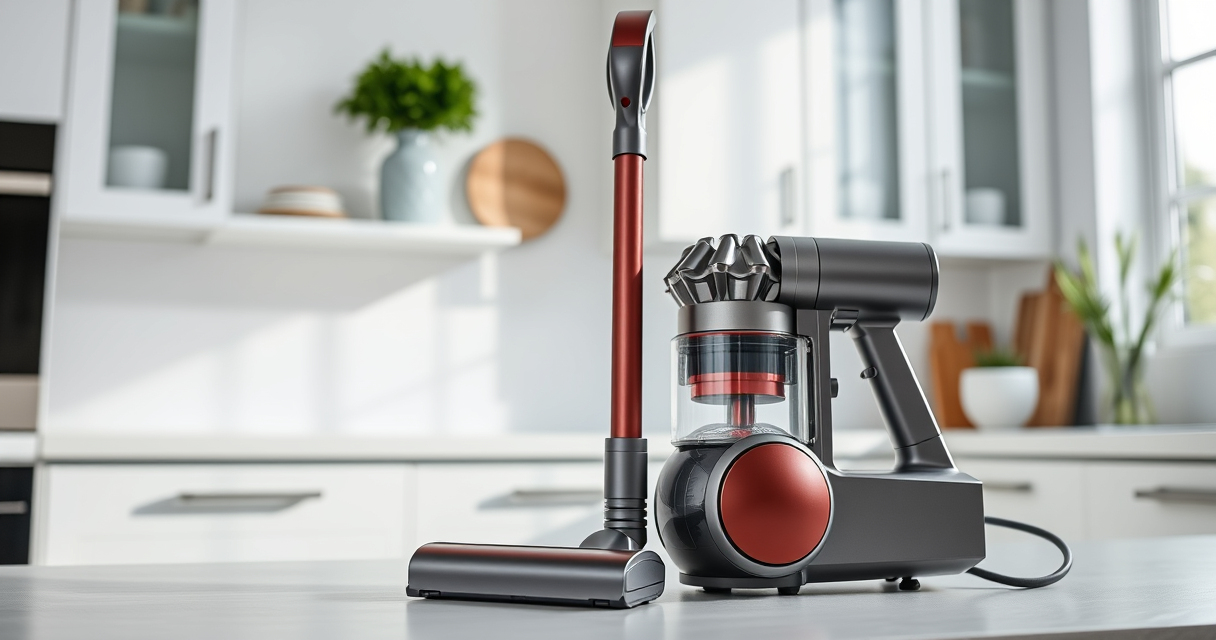
The Dyson V15 Detect™ Origin is a high-performance cordless vacuum designed for whole-home cleaning. It features intelligent power adjustment, a laser to reveal invisible dust, and a run time of up to 60 minutes. Its advanced filter system and versatile heads make maintenance straightforward and effective.
Pros:
- Powerful suction with 100% more power
- Intelligent debris detection
- Long battery life (up to 60 mins)
- Multiple cleaning heads for various surfaces
Cons:
- Can be heavy for some users
- Filters need regular cleaning
- Price may be high for budget buyers
Best for: Deep cleaning homes with pets or hard-to-reach areas
Not ideal for: Light, quick cleanups or very small spaces
Bottom line: A powerful, smart vacuum ideal for comprehensive home cleaning.
LANMU Crevice Tool Vacuum Attachments Compatible
The LANMU Crevice Tool Vacuum Attachments is compatible with Dyson V15 and other models. Its slim, flexible design makes it easier to clean narrow spaces, corners, and car interiors, improving overall cleaning efficiency.
Pros:
- Narrow nozzle for tight spaces
- Flexible and easy to maneuver
- Compatible with multiple Dyson models
- Helps reach difficult spots
Cons:
- Attachment only, vacuum not included
- May require additional adapters for some models
Best for: Detail cleaning in corners, upholstery, and vehicles
Not ideal for: For general cleaning — best as an accessory
Bottom line: A handy accessory to maximize your Dyson’s reach and cleaning power.
Frequently Asked Questions
Why is my Dyson pulsing on and off?
This can be caused by blockages, dirty filters, or battery issues. Follow the troubleshooting steps to identify the cause.
How often should I clean the filters?
It’s recommended to wash the filters every 1-3 months, depending on usage, and allow them to dry completely before reinstallation.
Can I reset my Dyson vacuum to fix pulsing?
Yes, turning off, removing the battery (if removable), waiting a few minutes, then reassembling can sometimes reset the electronics and fix pulsing.
What if cleaning and filters don’t fix the issue?
If problems persist, contact Dyson support or consider replacing the battery or internal components as recommended by the manufacturer.
Get Back to Cleaning Without Interruptions
Addressing pulsing issues in your Dyson V15 Detect™ Origin is often straightforward with proper maintenance and inspections. Regularly checking filters, clearing blockages, and ensuring battery health can prevent future problems. Following these steps ensures your vacuum performs optimally, making your cleaning routine more efficient and less frustrating.
Affiliate disclosure: As an Amazon Associate we earn from qualifying purchases. Prices and availability are accurate as of the time of publishing.
Grilling season Picks
grills
As an affiliate, we earn on qualifying purchases.