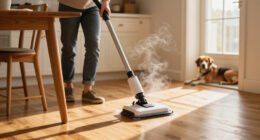
The Dyson V15 Detect™ Origin Cordless Vacuum is a powerful, intelligent cleaning tool designed for deep, whole-home cleaning. Its advanced features like invisible dust detection, LCD screen, and adaptive power make it a top choice for pet owners and homeowners alike. However, like any complex device, it requires proper care and occasional troubleshooting to maintain peak performance.

Get cleaning gear delivered free with Prime
- Fast, free delivery on millions of items
- Prime Video, Amazon Music and more included
- Member-only deals all year
This guide provides practical, step-by-step instructions for cleaning, maintaining, and troubleshooting your Dyson V15 Detect™. Follow these steps to keep your vacuum running smoothly, ensure optimal suction, and extend its lifespan, all while using safe and effective methods.
Key Takeaways
| Regular Filter Cleaning | Keeps suction high and maintains cleaning efficiency. |
| Check for Blockages | Prevents loss of power and motor strain. |
| Battery Care | Maximize run time and battery lifespan. |
| Sensor and Screen Checks | Ensures accurate debris detection and alerts. |
| Routine Maintenance | Prevents breakdowns and prolongs device life. |
Cleaning and Replacing Filters
- Remove the vacuum from charging and power off.
- Detach the filter assembly from the cyclone unit by twisting it counter-clockwise.
- Rinse the filter under cold water without soap. Gently squeeze out excess water.
- Allow the filter to air dry completely for at least 24 hours before reinserting.
- Replace the filter into the cyclone, twisting clockwise until secure.
- For optimal performance, clean filters every 1-3 months depending on usage.
Proper filter maintenance is crucial for maintaining strong suction and preventing motor strain. Always ensure filters are fully dry before reinstalling to avoid damage.
Clearing Blockages and Debris
- Turn off and unplug the vacuum.
- Inspect the cleaner heads, wand, and main tube for visible obstructions.
- Remove the cleaner head and check the nozzle and brush bar for debris or hair entanglement.
- Use a long, flexible brush or the crevice tool to dislodge any blockages.
- Reassemble the cleaner head and test the vacuum for restored suction.
Blockages can cause a drop in performance or error alerts. Regularly checking and clearing obstructions helps maintain consistent cleaning power and prevents strain on the motor.
Battery and Power Management
- Ensure the vacuum is fully charged before use by connecting it to a compatible charger.
- Avoid letting the battery completely drain; recharge when indicator shows low power.
- Store the vacuum in a cool, dry place to preserve battery health.
- If run time decreases significantly, consider replacing the battery or contacting Dyson support.
- Use power modes appropriately; lower modes extend battery life, while boost modes are for deep cleaning.
Following battery care tips maximizes run time and prolongs the overall lifespan of your vacuum’s power source.
Monitoring and Using the LCD Screen
- Check the LCD screen regularly for debris count, power mode, and maintenance alerts.
- Follow on-screen prompts for filter cleaning or other maintenance tasks.
- Reset alerts by turning the vacuum off and on after completing maintenance.
- Use the debris indicator to identify when filters or components need attention.
This smart feature helps you stay proactive with maintenance, ensuring your Dyson V15 Detect™ performs optimally at all times.
General Maintenance Tips for Longevity
- Keep the vacuum clean and dry; wipe the body with a damp cloth as needed.
- Regularly check and clean the cleaner heads and brush bars.
- Inspect the wand and attachments for damage or wear.
- Replace filters and consumables as recommended to maintain suction and airflow.
- Schedule professional servicing if you notice persistent issues or unusual noise.
The Products in This Guide

Dyson V15 Detect™ Origin Cordless Vacuum
- ✔ Battery Life: Up to 60 mins
- ✔ Weight: 6.8 lbs
- ✔ Charging Time: 3.5 hours

LANMU Crevice Tool Vacuum Attachments Compatible
- ✔ Length: Approx. 20 inches
- ✔ Material: Plastic
- ✔ Compatibility: Multiple Dyson cordless models
Dyson V15 Detect™ Origin Cordless Vacuum
The Dyson V15 Detect™ Origin offers impressive cleaning power with intelligent debris detection and a user-friendly LCD screen. Its versatile design and advanced features make it ideal for thorough, whole-home cleaning, though it requires regular maintenance for sustained performance.
Pros:
- Powerful suction with 100% more power
- Intelligent debris detection
- Long battery life (60 mins)
- Smart LCD screen for alerts
- Versatile cleaner heads
Cons:
- Filters need regular cleaning
- Battery replacement can be costly
- Weight may be heavy for some users
Best for: Homeowners seeking deep cleaning and smart technology
Not ideal for: Users looking for a lightweight, ultra-portable vacuum
Bottom line: The Dyson V15 Detect™ Origin is a high-performance, intelligent vacuum perfect for deep, whole-home cleaning with proper maintenance.
LANMU Crevice Tool Vacuum Attachments Compatible
The LANMU Crevice Tool Vacuum Attachments are compatible with Dyson V15 and other models, offering a narrow, flexible nozzle to reach tight corners and small spaces effectively. It’s a practical addition for detailed cleaning tasks in homes and cars.
Pros:
- Narrow, flexible design
- Easy to attach and use
- Compatible with multiple Dyson models
- Ideal for hard-to-reach spots
Cons:
- Not suitable for Dyson V6 or canister models
- Additional accessory that requires storage
- May need careful handling to avoid damage
Best for: Cleaning tight corners, car interiors, and small crevices
Not ideal for: For general cleaning or large debris
Bottom line: A versatile crevice tool that makes detailed cleaning in tight spaces easier and more effective.
Frequently Asked Questions
How often should I clean or replace the filters in my Dyson V15 Detect™?
Filters should be cleaned every 1-3 months depending on usage. Replace filters if they show signs of damage or loss of suction after cleaning.
What should I do if my vacuum loses suction or has a weak airflow?
First, check for blockages in the cleaner head, wand, and hose. Clean or clear any debris. Also, ensure filters are clean and properly installed.
How do I reset maintenance alerts on the LCD screen?
Complete the required maintenance, such as cleaning filters. Turn the vacuum off and then back on to reset the alert on the LCD screen.
Can I replace the battery myself?
Battery replacement can be complex; it’s recommended to contact Dyson support or have a professional replace it to ensure safety and proper function.
What’s the best way to store my Dyson V15 Detect™?
Store in a cool, dry place, preferably on a charging dock or in a protected area to preserve battery health and prevent damage.
Keep Your Dyson V15 Detect™ Performing at Its Best
With proper routine maintenance, such as regular filter cleaning, checking for blockages, and monitoring the LCD alerts, your Dyson V15 Detect™ will consistently deliver powerful, efficient cleaning. Following these troubleshooting steps helps ensure your vacuum remains a reliable tool in your home cleaning arsenal for years to come. Remember, if issues persist, contacting Dyson support is always a good option for professional assistance.
Affiliate disclosure: As an Amazon Associate we earn from qualifying purchases. Prices and availability are accurate as of the time of publishing.
Fall Picks
fall essentials
As an affiliate, we earn on qualifying purchases.