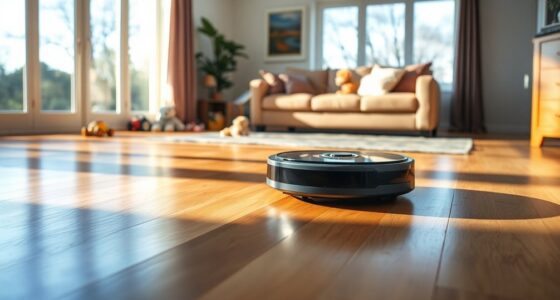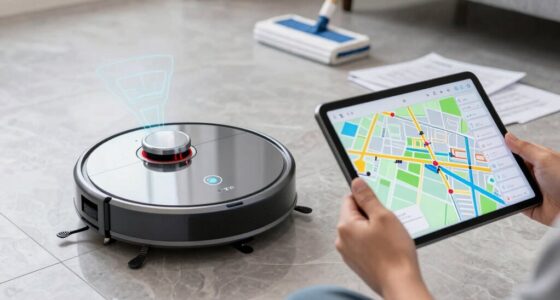
Congratulations on your new Roborock Q7 M5+ Robot Vacuum and Mop! Setting up your device correctly is crucial for ensuring it performs efficiently and lasts longer. This guide provides a practical, step-by-step process to help you get your robot ready for cleaning your home. From unboxing to initial setup and tips for maintenance, you’ll find everything you need to start enjoying a cleaner home with minimal hassle.

Get cleaning gear delivered free with Prime
- Fast, free delivery on millions of items
- Prime Video, Amazon Music and more included
- Member-only deals all year
Before you begin, gather your device, the included accessories, and your smartphone with the Roborock app installed. Proper setup not only maximizes cleaning performance but also helps troubleshoot common issues early on.
Key Takeaways
| Easy Assembly | Initial setup involves unboxing, charging, and app configuration. |
| App Control Essential | Roborock app offers full control and customization. |
| Maintenance Tips | Regularly empty the self-empty dock and clean filters for best results. |
| Safety First | Ensure pets and children are kept away during setup and initial operation. |
Unboxing and Initial Inspection
- Carefully remove your Roborock Q7 M5+ from the packaging, ensuring all accessories are included: the robot vacuum, charging dock, power cord, and user manual.
- Inspect the device for any visible damage or missing parts. Confirm that the dust bag in the self-empty dock is securely installed and properly sealed.
Charging Your Roborock
- Place the charging dock against a wall in an open area, ensuring there’s at least 1 meter of clearance on each side and 2 meters in front for optimal docking.
- Connect the dock to a power outlet using the provided power cord.
- Align the robot with the dock, and let it automatically find and connect to the charging station. It may take a few minutes for the device to fully dock and start charging.
Installing and Connecting via the App
- Download the Roborock app from your device’s app store, then create an account or log in.
- Ensure your phone is connected to Wi-Fi (2.4GHz network recommended).
- Open the app, select ‘Add Device,’ and follow prompts to connect your Q7 M5+ to Wi-Fi. Make sure the robot is powered on and fully charged.
- Once connected, you can name your device, set cleaning schedules, and customize cleaning preferences.
Initial Cleaning and Setup Tips
- For the first run, clear the cleaning area of obstacles, loose cords, and fragile items.
- Customize cleaning zones or select full-area cleaning within the app for comprehensive coverage.
- Set up no-go zones or virtual boundaries if your home has delicate areas to avoid.
- Ensure the dust bag in the self-empty dock is correctly installed to benefit from up to 7-9 weeks of hands-free cleaning.
Maintaining Your Roborock for Peak Performance
- Regularly check and empty the self-empty dock, especially after multiple cleaning cycles.
- Wash or replace filters every 1-3 months; consider using the recommended washable filters for best filtration.
- Clean the main brush and side brushes weekly to prevent tangles, especially if you have pets.
- Keep the sensors and LiDAR navigation system clean to ensure accurate mapping and obstacle avoidance.
Troubleshooting Common Issues
If your Roborock struggles with navigation or cleaning, start by checking the app for error messages. Reboot the device and ensure firmware is up to date. Clear any debris from brushes and filters. For connectivity problems, reset Wi-Fi settings and reconfigure in the app. Consult the user manual for specific error codes or contact support if persistent issues occur.
The Products in This Guide

roborock Q7 M5+ Robot Vacuum and Mop
- ✔ Weight: 7.7 kg
- ✔ Charging Time: Approx. 4 hours
- ✔ Dimensions: 35.4 x 35.4 x 9.8 inches

4 Pack Washable Filter
- ✔ Weight: Approx. 50g per filter
- ✔ Material: HEPA fiber
- ✔ Washability: Yes
roborock Q7 M5+ Robot Vacuum and Mop
The Roborock Q7 M5+ offers a powerful 10,000Pa suction, dual anti-tangle system, and up to 7-9 weeks of hands-free cleaning thanks to its self-empty dock. Its PreciseLiDAR navigation ensures efficient coverage, making it a top choice for pet owners and busy households.
Pros:
- Powerful 10,000Pa suction
- Long-lasting self-emptying dock
- Precise LiDAR navigation
- Dual anti-tangle system
Cons:
- Requires initial Wi-Fi setup
- Self-empty dock can be bulky
- Filter cleaning needed regularly
Best for: Homes with pets and high-traffic areas
Not ideal for: Small living spaces or minimal cleaning needs
Bottom line: A powerful, long-lasting robot vacuum ideal for pet owners and large homes.
4 Pack Washable Filter
These washable filters are compatible with multiple Roborock models, including the Q7 Max and Q5 Pro. They ensure high filtration efficiency and can be reused after washing, saving money and reducing waste.
Pros:
- Reusable and washable
- High HEPA filtration
- Compatible with various models
- Easy to install
Cons:
- Requires regular cleaning
- Not OEM but similar quality
- Limited to specific models
Best for: Users wanting cost-effective, eco-friendly filters
Not ideal for: If you prefer OEM parts or have non-compatible models
Bottom line: Cost-effective, high-performance washable filters for your Roborock.
Frequently Asked Questions
How do I connect my Roborock Q7 M5+ to Wi-Fi?
Download the Roborock app, create an account, and follow the in-app instructions to add your device. Make sure your phone is connected to a 2.4GHz Wi-Fi network for best compatibility.
How often should I replace the filters?
Filters should generally be washed and reused every 1-3 months, depending on usage. Reusable washable filters like the 4-pack listed can help maintain optimal filtration.
Can I use the robot without the self-empty dock?
Yes, you can operate the robot without the self-empty dock, but you will need to manually empty the dustbin after each cleaning cycle.
What should I do if my Roborock is not navigating properly?
Check the LiDAR sensor for dust or obstructions, ensure the device is fully charged, and update firmware via the app. Resetting the device and recalibrating the navigation can also help.
Is it safe to leave the robot unattended?
Yes, the Roborock Q7 M5+ is designed for safe operation, but always keep pets and children away during setup and initial runs. Regular maintenance and supervision are recommended.
Enjoy Effortless Cleanings with Your Roborock Q7 M5+
Setting up your Roborock Q7 M5+ correctly ensures you get the most out of its powerful features and long-lasting self-emptying system. Following these steps guarantees a smooth start, leading to cleaner floors and more free time. Regular maintenance and app control customization will keep your robot performing at its best for years to come. Happy cleaning!
Affiliate disclosure: As an Amazon Associate we earn from qualifying purchases. Prices and availability are accurate as of the time of publishing.
Fall Picks
fall essentials
As an affiliate, we earn on qualifying purchases.