
For live streaming and content creation, I’d choose the 2025 14-inch MacBook Pro with M5 as the best overall balance of current-generation performance, 24GB of memory, and a 1TB SSD. The 14-inch M5 Pro with 48GB is a stronger fit for heavier editing and multitasking, while the 16-inch M5 Max is aimed at demanding, high-resolution production. The main tradeoffs are processing headroom versus portability, and the appeal of lower-cost older models versus their tighter memory and storage limits. A powerful laptop still can’t compensate for weak internet, poor audio, or an inefficient streaming setup. Read on for the full breakdown and help matching a MacBook Pro to your production workload.

Get cleaning gear delivered free with Prime
- Fast, free delivery on millions of items
- Prime Video, Amazon Music and more included
- Member-only deals all year
Complete the kit


Key Takeaways
- The M5 14-inch configuration is the most balanced pick. Its 24GB of memory and 1TB SSD provide more room for streaming software, creative apps, and project files than the older 8GB and 256GB configurations.
- The M5 Pro 14-inch is the step-up choice for heavier multitasking. Its 48GB of memory gives creators more headroom for editing while running a stream, though many lighter workflows may not need it.
- The M5 Max 16-inch is a specialist purchase. Its 128GB of memory and 2TB SSD suit demanding production pipelines, but that capacity is excessive for basic streams and short-form editing.
- Older M1 and M2 models can still suit modest workloads. Their 8GB configurations are less forgiving when several demanding apps, browser sources, and large creative projects run together.
- Some listings leave major configuration details unclear. The renewed 13-inch model without listed specifications, in particular, calls for checking exact chip, memory, storage, condition, and return terms before choosing it.
| Apple MacBook Pro MPXV2LL/A Laptop (Renewed, Space Gray, 13.3-inch, 256GB SSD, 8GB RAM, Mac OS) | 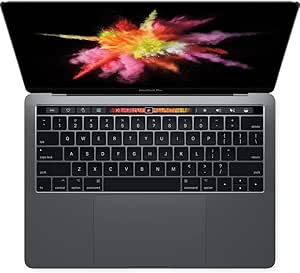 | Best for Lightweight, Basic Streaming Setups | Processor: 3.1GHz dual-core Intel Core i5, Turbo Boost up to 3.5GHz | Memory: 8GB 2133MHz LPDDR3 | Storage: 256GB SSD | VIEW ON AMAZON | See Our Full Breakdown |
| Apple 2025 MacBook Pro Laptop with M5 Chip, 14.2-inch Liquid Retina XDR Display, 24GB Memory, 1TB SSD, Space Black |  | Best Overall for Streaming and Content Creation | Processor: Apple M5 with 10-core CPU and GPU | Memory: 24GB unified memory | Storage: 1TB SSD | VIEW ON AMAZON | See Our Full Breakdown |
| Apple MacBook Pro with M2 Chip, 13-inch Retina Display, 8GB RAM, 512GB SSD, Touch Bar, Backlit Keyboard, FaceTime HD Camera, Space Gray |  | Best for Compact Editing with More Storage | Processor: Apple M2 chip, 8-core CPU | Graphics: Integrated Apple GPU, up to 10-core | Memory: 8GB unified memory | VIEW ON AMAZON | See Our Full Breakdown |
| Apple 2020 MacBook Pro 13-inch with 2.3GHz Intel Core i7, 32GB RAM, 1TB SSD, Space Gray (Renewed) |  | Best for RAM-Heavy Legacy Workflows | Processor: 2.3GHz quad-core 10th-generation Intel Core i7 | Memory: 32GB RAM | Storage: 1TB SSD | VIEW ON AMAZON | See Our Full Breakdown |
| Apple MacBook Pro 13-inch with M1 Chip (Renewed, Space Gray, 8GB RAM, 256GB SSD) |  | Best Entry-Level M-Series Pick | Processor: Apple M1 | Graphics: 8-core GPU, shared graphics memory | Memory: 8GB RAM | VIEW ON AMAZON | See Our Full Breakdown |
| Apple MacBook Pro 16.2-inch with M5 Max, 128GB RAM, 2TB SSD, Space Black |  | Best for High-End Production | Display: 16.2-inch Liquid Retina XDR | CPU: M5 Max, 18-core | GPU: 40-core | VIEW ON AMAZON | See Our Full Breakdown |
| Apple MacBook Pro Laptop with M5 Pro Chip, 15-core CPU, 16-core GPU, 14.2-inch Liquid Retina XDR Display, 48GB RAM, 1TB SSD, Space Black |  | Best Balanced Pro Setup | Display: 14.2-inch Liquid Retina XDR | Processor: Apple M5 Pro, 15-core CPU and 16-core GPU | Memory: 48GB unified memory | VIEW ON AMAZON | See Our Full Breakdown |
| Apple 13-inch MacBook Pro (Mid 2020, Space Gray, 8GB RAM, 256GB SSD, Core i5) |  | Best for Basic Streaming on a Tight Setup | Model year: Mid 2020 | Display: 13-inch | Processor: 1.4GHz Core i5 | VIEW ON AMAZON | See Our Full Breakdown |
| Apple 2021 MacBook Pro (16.2-inch, M1 Pro chip, 10-core CPU, 16-core GPU, 16GB RAM, 512GB SSD) – Space Gray |  | Best Older Large-Screen Creator Mac | Model: MacBook Pro (2021) | Display: 16.2-inch Liquid Retina XDR | Processor: Apple M1 Pro, 10-core CPU | VIEW ON AMAZON | See Our Full Breakdown |
| Apple MacBook Pro 13-inch (Renewed) |  | Best for Light Intel-Based Creator Tasks | Processor: 8th-generation Intel Core i5, quad-core | Display: 13-inch Retina with True Tone | Memory: 8GB | VIEW ON AMAZON | See Our Full Breakdown |
| macbook pro for live streaming and content creation | Memory | Storage | Display | Processor |
|---|---|---|---|---|
| Apple MacBook Pro MPXV2LL/A La | 8GB 2133MHz LPDDR3 | 256GB SSD | 13.3-inch Retina, 2560 x 1600 | 3.1GHz dual-core Intel Core i5, Turbo Boost up to 3.5GHz |
| Apple 2025 MacBook Pro Laptop | 24GB unified memory | 1TB SSD | 14.2-inch Liquid Retina XDR | Apple M5 with 10-core CPU and GPU |
| Apple MacBook Pro with M2 Chip | 8GB unified memory | 512GB SSD | 13-inch Retina LCD, 2560 x 1600 | Apple M2 chip, 8-core CPU |
| Apple 2020 MacBook Pro 13-inch | 32GB RAM | 1TB SSD | 13-inch Retina with True Tone | 2.3GHz quad-core 10th-generation Intel Core i7 |
| Apple MacBook Pro 13-inch with | 8GB RAM | 256GB | 13.3-inch, 2560 x 1600 | Apple M1 |
| Apple MacBook Pro 16.2-inch wi | 128GB unified memory | 2TB SSD | 16.2-inch Liquid Retina XDR | — |
| Apple MacBook Pro Laptop with | 48GB unified memory | 1TB SSD | 14.2-inch Liquid Retina XDR | Apple M5 Pro, 15-core CPU and 16-core GPU |
| Apple 13-inch MacBook Pro | 8GB | 256GB SSD | 13-inch | 1.4GHz Core i5 |
| Apple 2021 MacBook Pro | 16GB | 512GB SSD | 16.2-inch Liquid Retina XDR | Apple M1 Pro, 10-core CPU |
| Apple MacBook Pro 13-inch | 8GB | 256GB SSD | 13-inch Retina with True Tone | 8th-generation Intel Core i5, quad-core |
More Details on Our Top Picks
Apple MacBook Pro MPXV2LL/A Laptop (Renewed, Space Gray, 13.3-inch, 256GB SSD, 8GB RAM, Mac OS)
I’d place this renewed Intel model among the entry-level choices for creators who mainly stream a camera feed, handle simple edits, or prepare content on the go. Its 2-pound weight and 13.3-inch Retina display make it easy to carry between a recording space and a desk, while the 256GB SSD keeps everyday file access responsive. Compared with the 2025 MacBook Pro with M5, though, its dual-core processor and 8GB of memory leave much less room for simultaneous streaming, editing, and browser tabs. The integrated Intel graphics also limit heavier visual workloads. I’d choose it over the M1 model only if the lower-complexity workflow and unusually light listed weight matter more than newer chip performance; buyers should also account for the renewed condition and modest storage.
Pros:- Light 2-pound design is easy to carry to remote recording locations
- 2560 x 1600 Retina display provides a sharp workspace for editing and monitoring
- SSD storage supports quick everyday file access
- Backlit keyboard is useful for late-night production sessions
Cons:- Dual-core Intel processor and 8GB RAM offer limited headroom for streaming alongside editing software
- 256GB storage can fill quickly with recorded footage
- Renewed condition may vary, and battery-life details are not provided
Best for: Mobile creators running a simple single-camera stream, doing light edits, and prioritizing a very portable MacBook Pro.
Not ideal for: Streamers who run several production apps at once or creators storing large video projects locally; 8GB memory and 256GB storage are restrictive.
- Processor:3.1GHz dual-core Intel Core i5, Turbo Boost up to 3.5GHz
- Memory:8GB 2133MHz LPDDR3
- Storage:256GB SSD
- Display:13.3-inch Retina, 2560 x 1600
- Graphics:Intel Iris Plus Graphics 650
- Weight:2 pounds
- Battery:54.5 watt-hours Lithium Ion
- Connectivity:USB, Wi-Fi 802.11ac, Bluetooth
Our verdict“Choose this renewed model for lightweight, basic streaming tasks, but step up to an M-series MacBook Pro for heavier multitasking or video production.”
Apple 2025 MacBook Pro Laptop with M5 Chip, 14.2-inch Liquid Retina XDR Display, 24GB Memory, 1TB SSD, Space Black
For a creator who wants one MacBook Pro to handle live production and post-production, this is my strongest all-around pick in this group. The M5 10-core CPU and GPU, paired with 24GB unified memory, give stream software, editing tools, and browser-based production more room to run together than the older 8GB models here. Its 1TB SSD also leaves more space for active projects than the 256GB options, while the Liquid Retina XDR screen supports detailed review of footage. The 12MP Center Stage camera and six-speaker audio are handy for calls and monitoring, though serious streaming still benefits from external video and audio gear. Compared with the M5 Pro 14-inch model in this roundup, this configuration has less memory and compute headroom, but it is a more balanced fit for most solo creators.
Pros:- M5 10-core CPU and GPU provide strong capacity for live production and editing
- 24GB unified memory is better suited to concurrent creative apps than the 8GB configurations
- 1TB SSD gives working footage and projects more local space
- Liquid Retina XDR display and 12MP Center Stage camera suit content review and video calls
Cons:- Less memory and processing headroom than the M5 Pro and M5 Max models in the roundup
- Professional workflows may still need adapters or external equipment despite the built-in port selection
- The high-end feature set may be unnecessary for basic streaming and light editing
Best for: Independent streamers and video creators who run production, editing, and communication apps together and want generous local storage.
Not ideal for: Creators with highly demanding multi-camera or effects-heavy workflows who need the added memory and processing headroom of the M5 Pro or M5 Max models.
- Processor:Apple M5 with 10-core CPU and GPU
- Memory:24GB unified memory
- Storage:1TB SSD
- Display:14.2-inch Liquid Retina XDR
- Ports:Three Thunderbolt 4, MagSafe 3, SDXC card slot, HDMI, headphone jack
- Camera:12MP Center Stage
- Audio:Six speakers with Spatial Audio and Dolby Atmos
- Color:Space Black
Our verdict“Pick this M5 configuration for a capable all-purpose streaming and editing laptop, unless your workload calls for the heavier-duty M5 Pro or M5 Max.”
Apple MacBook Pro with M2 Chip, 13-inch Retina Display, 8GB RAM, 512GB SSD, Touch Bar, Backlit Keyboard, FaceTime HD Camera, Space Gray
This M2 13-inch model is a more practical compact creator laptop than the older dual-core Intel MacBook Pro MPXV2LL/A: its 8-core M2 CPU is a stronger foundation for editing and streaming, and the 512GB SSD doubles the storage of the 256GB models in this batch. That makes it a sensible fit for short-form video, basic overlays, and portable production, especially when the stated battery life of up to 20 hours helps reduce charger dependence. The limitation is its 8GB unified memory, which can become a pinch point when streaming software, editing apps, and many browser tabs run at once. The 2025 M5 model is better suited to those heavier sessions, with more memory and a larger XDR display. This M2 is the smaller, simpler choice, not the best option for scaling a complex workflow.
Pros:- M2 8-core CPU offers a stronger basis for creative tasks than the older Intel dual-core model
- 512GB SSD provides more working space than the 256GB options
- Listed battery life of up to 20 hours suits mobile production days
- 2560 x 1600 Retina display gives a sharp workspace in a compact format
Cons:- 8GB unified memory can constrain simultaneous streaming, editing, and multitasking
- Two Thunderbolt 3 ports may require a hub for a camera, storage, and other peripherals
- FaceTime HD camera is less specified than the 12MP Center Stage camera on the 2025 M5 model
Best for: Creators who want a compact M-series MacBook Pro for short videos, light editing, and occasional live streams, with more storage than the 256GB models.
Not ideal for: Multitasking streamers or editors working on long, high-resolution projects who need more than 8GB memory and two Thunderbolt 3 ports.
- Processor:Apple M2 chip, 8-core CPU
- Graphics:Integrated Apple GPU, up to 10-core
- Memory:8GB unified memory
- Storage:512GB SSD
- Display:13-inch Retina LCD, 2560 x 1600
- Battery life:Up to 20 hours
- Connectivity:Wi-Fi 6, Bluetooth, Thunderbolt 3 ports
- Webcam:FaceTime HD
Our verdict“Choose the M2 13-inch model for portable, moderate creative work and extra SSD space, but favor the M5 if you routinely run demanding apps together.”
Apple 2020 MacBook Pro 13-inch with 2.3GHz Intel Core i7, 32GB RAM, 1TB SSD, Space Gray (Renewed)
The case for this renewed 2020 model is its unusual combination of 32GB RAM and a 1TB SSD in a 13-inch MacBook Pro. That memory capacity can help keep multiple production tools and large projects open, while the roomy drive is better suited to local footage than the 256GB models. Compared with the M2 13-inch MacBook Pro, this Intel version has far more listed RAM and storage, but its 2.3GHz quad-core processor and Intel Iris Plus graphics are from an older platform. Buyers choosing between them should weigh memory capacity against newer-chip performance and efficiency; the M2 is the more natural fit for portable, everyday creator work, while this one may suit a specific Intel-dependent setup. It is still a 13-inch system without dedicated graphics, and renewed condition adds uncertainty around the device itself.
Pros:- 32GB RAM offers substantially more listed memory than the 8GB models in this batch
- 1TB SSD provides space for active footage and project files
- Quad-core Intel Core i7 can support multitasking in compatible legacy workflows
- 13-inch Retina display includes True Tone
Cons:- Older Intel platform is a less compelling choice than the M2 or M5 models for many new creative workflows
- Intel Iris Plus graphics are integrated, limiting graphics-heavy production tasks
- Renewed condition and USB-C-only port description may require extra care and accessories
Best for: Creators who need 32GB of RAM and 1TB of storage in a compact MacBook Pro, particularly those maintaining software or workflows tied to Intel.
Not ideal for: Buyers seeking the newest chip generation, dedicated graphics, or a clearly specified modern port selection for a demanding live-production rig.
- Processor:2.3GHz quad-core 10th-generation Intel Core i7
- Memory:32GB RAM
- Storage:1TB SSD
- Display:13-inch Retina with True Tone
- Graphics:Intel Iris Plus
- Ports:USB-C
- Warranty:1-year limited
- Color:Space Gray
Our verdict“Select this renewed Intel model when its 32GB RAM, 1TB SSD, or Intel compatibility is the priority, rather than for the newest overall streaming performance.”
Apple MacBook Pro 13-inch with M1 Chip (Renewed, Space Gray, 8GB RAM, 256GB SSD)
This renewed M1 MacBook Pro is the straightforward entry point for creators who want Apple silicon without jumping to the newer M2 or M5 configurations. Its M1 8-core CPU and GPU can handle basic editing and single-camera streams more capably than the older dual-core Intel MPXV2LL/A, while the listed battery life of up to 20 hours favors work away from an outlet. The tradeoff is clear: 8GB RAM and 256GB SSD leave little room for heavy multitasking or a growing footage library. Compared with the M2 13-inch model, this M1 has the same listed memory but half the storage, making it less convenient for keeping active projects onboard. I’d treat it as a portable starter machine and plan on external storage, rather than choose it for elaborate live productions or sustained editing workloads.
Pros:- M1 8-core CPU and GPU suit basic editing and single-camera streaming
- Listed battery life of up to 20 hours supports mobile work
- 2560 x 1600 Retina display provides a detailed editing workspace
- Compact 13.3-inch design is practical for travel and small work areas
Cons:- 8GB RAM can limit multitasking with streaming and editing software open together
- 256GB SSD is restrictive for recorded video and active projects
- Renewed condition may vary, and graphics use shared rather than dedicated memory
Best for: Newer creators who need a portable, renewed MacBook Pro for basic streams, light edits, and everyday content tasks.
Not ideal for: Editors with large local media libraries or streamers running several demanding apps at once; its 8GB RAM and 256GB SSD offer limited headroom.
- Processor:Apple M1
- Graphics:8-core GPU, shared graphics memory
- Memory:8GB RAM
- Storage:256GB
- Display:13.3-inch, 2560 x 1600
- Battery life:Up to 20 hours
- Connectivity:Wireless, Bluetooth, Wi-Fi 802.11a/b
- Operating system:macOS
Our verdict“Choose this M1 model for entry-level streaming and portable editing, but the M2 version is the better fit if you need more onboard project storage.”
Apple MacBook Pro 16.2-inch with M5 Max, 128GB RAM, 2TB SSD, Space Black
For creators running demanding streams alongside heavy editing, this configuration offers the most headroom in this group. The 18-core M5 Max CPU, 40-core GPU, and 128GB unified memory suit complex timelines, graphics-heavy projects, and workloads that benefit from keeping several demanding apps open. Its 16.2-inch Liquid Retina XDR display gives you a spacious view for editing and monitoring, while HDMI and SDXC reduce the need for adapters at a desk or production setup.
Compared with the 14.2-inch M5 Pro MacBook Pro, this model prioritizes GPU capacity, memory, and screen area over a smaller carry-friendly design. That extra capacity is compelling for professional production, but likely excessive for straightforward livestreams or occasional editing. The tradeoffs are its bulk, the premium price implied by this top-tier configuration, and the fact that memory is already at the listed 128GB limit.
Pros:- M5 Max with 18-core CPU and 40-core GPU provides substantial capacity for demanding creative workloads
- 128GB unified memory supports keeping resource-intensive apps and projects active together
- Large 16.2-inch Liquid Retina XDR display offers generous space for editing and monitoring
- Thunderbolt 5, HDMI, and SDXC provide useful connections for studio and camera workflows
Cons:- Large, heavy design is less convenient to carry than the 14.2-inch M5 Pro model
- Top-tier performance is unnecessary for basic livestreaming and light content creation
- The listed configuration has a high-end cost and no memory beyond its 128GB capacity
Best for: Professional streamers and video creators handling complex, high-resolution edits while running multiple production apps.
Not ideal for: Solo creators with simple streaming setups or frequent commuters who would gain little from the M5 Max capacity and prefer a lighter laptop.
- Display:16.2-inch Liquid Retina XDR
- CPU:M5 Max, 18-core
- GPU:40-core
- Memory:128GB unified memory
- Storage:2TB SSD
- Battery life:All-day
- Ports:Three Thunderbolt 5, MagSafe 3, SDXC, HDMI, headphone jack
- Wireless:Wi-Fi 7, Bluetooth 6
Our verdict“Choose this model for demanding professional production that can use its M5 Max power and 128GB memory, not for basic streaming or frequent travel.”
Apple MacBook Pro Laptop with M5 Pro Chip, 15-core CPU, 16-core GPU, 14.2-inch Liquid Retina XDR Display, 48GB RAM, 1TB SSD, Space Black
This configuration is the balanced choice for creators who need substantial memory for editing and streaming, but do not need the larger M5 Max system. Its M5 Pro chip and 48GB unified memory give demanding projects more working room than the 16GB M1 Pro MacBook Pro, while the 14.2-inch Liquid Retina XDR display keeps the laptop more compact than the 16.2-inch M5 Max model. The listed camera, six-speaker system, HDMI, and SDXC also make it practical as a self-contained creator workstation.
The main compromise is capacity versus portability: it is smaller than the M5 Max model, yet this is still a professional laptop rather than a lightweight entry-level pick. Its 1TB SSD may fill quickly with active video projects, and the 48GB memory configuration is below the M5 Max’s 128GB. I’d favor it for creators who want serious capability without stepping up to the most expansive system here.
Pros:- M5 Pro chip pairs a 15-core CPU with a 16-core GPU for demanding creative work
- 48GB unified memory offers more room for multitasking than the 16GB M1 Pro configuration
- 14.2-inch Liquid Retina XDR display combines a high-end screen with a more compact footprint than the 16.2-inch models
- Includes HDMI, SDXC, 12MP Center Stage camera, and six-speaker audio system
Cons:- 1TB SSD can constrain creators who keep large video projects on the laptop
- Less GPU and memory capacity than the M5 Max model for especially heavy production work
- Still a premium, relatively substantial laptop compared with simpler or older 13-inch options
Best for: Video creators and livestreamers who edit demanding projects, want 48GB memory, and prefer a 14.2-inch workstation over a larger laptop.
Not ideal for: Creators routinely working with the most GPU-intensive projects or extensive local media libraries who need the M5 Max model’s higher memory and 2TB SSD.
- Display:14.2-inch Liquid Retina XDR
- Processor:Apple M5 Pro, 15-core CPU and 16-core GPU
- Memory:48GB unified memory
- Storage:1TB SSD
- Battery life:All-day
- Ports:Three Thunderbolt 5, MagSafe 3, SDXC, HDMI, headphone jack
- Connectivity:Wi-Fi 7, Bluetooth 6
- Camera and audio:12MP Center Stage camera; six speakers with Spatial Audio and Dolby Atmos
Our verdict“Pick this M5 Pro configuration for demanding creator work that benefits from 48GB memory in a smaller package than the 16.2-inch M5 Max.”
Apple 13-inch MacBook Pro (Mid 2020, Space Gray, 8GB RAM, 256GB SSD, Core i5)
This renewed 2020 13-inch MacBook Pro is the entry-level option for light creator tasks, not a match for the newer M5 systems above it. Its 1.4GHz Core i5, 8GB RAM, and 256GB SSD can suit simple livestream production, basic edits, and everyday computer use, but leave less room for multitasking or a growing library of footage. The compact 13-inch display is easier to fit on a small desk than the 16.2-inch M1 Pro MacBook Pro, though it offers less workspace for timelines and stream controls.
The renewed condition adds uncertainty that the newer models avoid: the listing says it was inspected and tested and has battery capacity above 80%, but it is not Apple-certified and may arrive with a generic box or non-original accessories. I’d choose it only for a modest setup or as a secondary machine. Creators planning frequent multi-source streams or heavier editing should move up to the M1 Pro or M5 Pro configurations.
Pros:- 13-inch form factor takes up less desk space than the 16.2-inch MacBook Pro models
- 256GB SSD provides onboard storage for basic apps and smaller projects
- Listing describes professional inspection and testing with battery capacity above 80%
- Can serve as a lower-capacity secondary computer for straightforward streaming tasks
Cons:- 8GB RAM limits multitasking compared with the 16GB M1 Pro and 48GB M5 Pro models
- 256GB storage leaves little room for a large collection of video files
- Renewed unit is not Apple-certified and may include non-original accessories or generic packaging
Best for: Beginners running simple single-camera streams, basic edits, and everyday creator tasks who are comfortable buying a renewed Intel Mac.
Not ideal for: Creators editing large or complex video projects, running several production apps, or needing substantial storage and memory headroom.
- Model year:Mid 2020
- Display:13-inch
- Processor:1.4GHz Core i5
- Memory:8GB
- Storage:256GB SSD
- Color:Space Gray
- Condition:Renewed
Our verdict“Choose this renewed 2020 model only for basic streaming and light edits if its limited memory and storage fit your workflow.”
Apple 2021 MacBook Pro (16.2-inch, M1 Pro chip, 10-core CPU, 16-core GPU, 16GB RAM, 512GB SSD) – Space Gray
The 2021 M1 Pro remains a compelling older choice for creators who value a large editing surface and strong battery life more than having the newest chip. Its 16.2-inch Liquid Retina XDR display gives timelines and monitoring windows room to breathe, while the 10-core CPU and 16-core GPU are a major step above the Core i5 hardware in the renewed 13-inch models. The supplied details also list up to 21 hours of battery life, useful for editing away from a desk or streaming where outlets are inconvenient.
Compared with the 14.2-inch M5 Pro, this model has a larger screen but a much older processor and 16GB rather than 48GB of memory. That makes it a better fit for established editing workflows than heavy multitasking or newer, demanding projects. Its 512GB SSD also calls for external storage if you keep much footage locally. I’d shortlist it for creators who want a large display and capable older hardware, while checking the specific unit’s condition and included details.
Pros:- 16.2-inch Liquid Retina XDR display provides a spacious workspace for editing and stream monitoring
- 10-core M1 Pro CPU and 16-core GPU are better suited to pro workflows than the Intel Core i5 models
- Listed battery life reaches up to 21 hours
- Six-speaker system with force-cancelling woofers supports clear playback and monitoring
Cons:- 16GB RAM offers far less headroom than the 48GB M5 Pro and 128GB M5 Max configurations
- 512GB SSD may require external storage for active video projects
- Older M1 Pro hardware is less suited to the newest, most demanding workloads than the M5 models
Best for: Editors and streamers who prioritize a large XDR screen and long listed battery life, and whose projects fit within 16GB memory.
Not ideal for: Creators who need newer-generation processing, substantial memory for heavy multitasking, or ample internal space for video libraries.
- Model:MacBook Pro (2021)
- Display:16.2-inch Liquid Retina XDR
- Processor:Apple M1 Pro, 10-core CPU
- GPU:16-core
- Memory:16GB
- Storage:512GB SSD
- Battery life:Up to 21 hours
- Camera:1080p FaceTime HD
Our verdict“Choose this 2021 MacBook Pro for a large editing display and capable older performance if 16GB memory and 512GB storage suit your projects.”
Apple MacBook Pro 13-inch (Renewed)
This renewed 13-inch MacBook Pro is a small-footprint pick for basic editing, stream preparation, and lighter creator work. Its 8th-generation quad-core Core i5 and Intel Iris Plus Graphics 645 give it a more defined graphics setup than the listed 1.4GHz Core i5 in the renewed Mid 2020 model, while the 13-inch Retina display with True Tone keeps the viewing experience compact. Touch ID can make sign-ins and routine access more convenient, but it does not change the machine’s limited capacity for modern production workloads.
With just 8GB RAM and a 256GB SSD, this is a long way below the 16GB M1 Pro and 48GB M5 Pro models for running editing software alongside a live stream. Its renewed status can also mean a more limited warranty. I’d view it as a basic or secondary computer rather than a primary machine for frequent content production, especially if your footage library is growing.
Pros:- 13-inch Retina display includes True Tone
- 8th-generation quad-core Core i5 supports basic multitasking
- Touch ID and Touch Bar provide convenient control and access features
- Intel Iris Plus Graphics 645 is specified for graphics processing
Cons:- 8GB RAM is restrictive for simultaneous streaming and editing workloads
- 256GB SSD is limited for storing video footage and active projects
- Renewed condition may come with a limited warranty
Best for: Creators who need a compact renewed Mac for stream preparation, simple edits, and general tasks rather than intensive live production.
Not ideal for: Streamers running multiple capture and editing applications at once, or video creators who need more than 256GB of internal storage.
- Processor:8th-generation Intel Core i5, quad-core
- Display:13-inch Retina with True Tone
- Memory:8GB
- Storage:256GB SSD
- Graphics:Intel Iris Plus Graphics 645
- Color:Space Gray
- Condition:Renewed
Our verdict“Pick this renewed 13-inch model for light creator tasks in a compact format, but not as a dependable workhorse for demanding streams and edits.”

How We Picked
I ranked these MacBook Pro configurations for the combined workload of live streaming and content creation, rather than treating processor generation as the only measure. I gave more weight to memory and storage headroom, sustained multitasking potential, display size for managing timelines and stream controls, and whether the listed configuration is clearly specified. Those details shape whether a machine can handle a creator’s actual workflow, not just a single editing task.
The M5 14-inch leads because it pairs a current chip with 24GB of memory and 1TB of storage, making it a balanced choice without the scale of the Max configuration. The M5 Pro follows for buyers whose editing and multitasking needs justify more memory; the M5 Max ranks as the premium specialist rather than the default recommendation. Older M1, M2, and Intel models rank lower when limited memory, older platforms, renewed condition, or incomplete specs make their fit narrower. I also weigh portability and configuration certainty: a compact or renewed model may suit a simple setup, but only when its limitations and exact specifications match the buyer’s needs.
| macbook pro for live streaming and content creation | Battery life |
|---|---|
| Apple MacBook Pro MPXV2LL/A La | — |
| Apple 2025 MacBook Pro Laptop | — |
| Apple MacBook Pro with M2 Chip | Up to 20 hours |
| Apple 2020 MacBook Pro 13-inch | — |
| Apple MacBook Pro 13-inch with | Up to 20 hours |
| Apple MacBook Pro 16.2-inch wi | All-day |
| Apple MacBook Pro Laptop with | All-day |
| Apple 13-inch MacBook Pro | — |
| Apple 2021 MacBook Pro | Up to 21 hours |
| Apple MacBook Pro 13-inch | — |
Factors to Consider When Choosing Macbook Pro For Live Streaming And Content Creation
Choosing a streaming laptop is less about chasing the largest chip and more about matching the full setup to the work you do. I’d plan around your live software, recording habits, editing workload, and storage needs before deciding how much performance to buy.
Match Memory to Your Live-and-Edit Workflow
Streaming software rarely runs alone: a creator may also have a browser with source pages, chat tools, audio controls, and a video editor open. If you record locally while streaming or edit high-resolution footage soon after a broadcast, extra memory helps keep those tasks from competing as sharply. The 8GB options in this lineup are better suited to simpler sessions than to heavy multitasking, while 24GB is a more comfortable starting point for mixed creator work. Configurations with 48GB or 128GB make more sense when demanding projects are routine, not just occasional. A common mistake is paying for abundant memory while leaving little budget or capacity for fast, accessible project storage. Choose based on the busiest session you regularly expect to run, rather than a hypothetical workload you may never use.
Plan Storage for Footage, Not Just Apps
Streaming applications and creative tools are only part of a creator’s storage use; recorded broadcasts, source footage, exports, and cache files can grow quickly. A 256GB internal drive can feel restrictive if you keep active projects on the laptop, even when the processor is capable. The 512GB models offer more breathing room, while 1TB or 2TB configurations are easier to manage for larger active projects. External drives can extend capacity, but they add equipment to carry and a step to remember when moving a project. Before buying, decide which files need to stay on the machine and which can live on external or network storage. This planning may matter more day to day than a modest difference in chip capability.
Choose Screen Size Around Your Setup
A larger display gives you more room to keep a timeline, preview, and streaming controls visible at once, which can reduce window juggling during production. The 16-inch M5 Max is the roomiest option here, but its bigger footprint is less convenient for a small desk or frequent travel. A 14-inch model offers a more portable middle ground for creators who work in different locations. The older 13-inch configurations may be easier to carry, though their smaller workspace can feel limiting when editing or monitoring several panels. An external monitor can solve much of that problem at a fixed workstation, but it does not help while traveling. Pick the screen around where you create most often, not only around the diagonal that sounds most appealing.
Buy Performance for the Work You Actually Run
Basic camera streaming, light edits, and short videos do not call for the same headroom as complex timelines, effects-heavy work, or frequent high-resolution exports. The M5 and M5 Pro configurations are more relevant to buyers who want a current-generation system with different levels of multitasking capacity. The M5 Max is best reserved for demanding production where its higher-tier configuration can serve a regular purpose. Older M1 and M2 options may still fit straightforward workflows, but buyers should check their other limits, especially memory and storage, rather than assuming a chip label alone tells the story. Do not spend on maximum performance to fix a bottleneck caused by slow internet, an unreliable capture chain, or poor audio. Those parts of the setup need their own attention.
Treat Renewed and Older Models as Configuration-Specific Choices
Renewed models can be appealing when a modest workload matters more than having the newest platform, but the label does not tell you the machine’s exact condition or remaining useful headroom. This lineup includes renewed systems with listed specifications and one 13-inch renewed listing without enough detail to judge its configuration. Check the precise processor, memory, drive capacity, battery condition information, included accessories, and return terms before committing. Intel-era models also deserve a close fit check: older hardware may be adequate for familiar, light tasks, but it should not be assumed to match newer Apple silicon for a creator’s workload. Avoid choosing a machine based on a broad product name when the specific configuration is what determines its usefulness. If the seller cannot clarify key details, a fully specified option is the safer decision.
Separate Laptop Capability From Stream Quality
A capable MacBook Pro can run production software, but stream quality also depends on upload stability, camera and capture hardware, microphones, lighting, and encoder settings. Buyers sometimes over-focus on the laptop and leave too little attention for the equipment viewers actually see and hear. Check whether your streaming platform’s recommended setup, camera connection, and capture devices work with the ports and accessories you plan to use. For a desk-based studio, budget for a monitor and a reliable hub if your devices need more connections than the laptop offers. For mobile production, account for the weight of those extras along with the laptop itself. A balanced setup often produces a better result than putting every resource into the highest-spec computer.
Frequently Asked Questions
Is 8GB of memory enough for live streaming and editing?
It can work for a simple stream with few other demanding apps open, but it leaves less room for browser sources, recording, and editing at the same time. In this lineup, several older or renewed 13-inch configurations have 8GB, so they are better suited to light workloads than to a growing production routine. If you often edit while monitoring a stream or keep multiple creative tools open, I’d favor a higher-memory configuration. Also check whether the machine’s memory is fixed, since that can limit your ability to expand later. Choose 8GB only when your software and workload are modest and clearly understood.
Should I choose the 14-inch M5 Pro or the 16-inch M5 Max?
I’d choose the 14-inch M5 Pro if portability and strong multitasking capacity matter more than having the largest screen and maximum listed memory. Its 48GB configuration is a substantial fit for demanding editing alongside streaming without jumping to the 16-inch Max system. The M5 Max makes more sense for a production pipeline that regularly uses heavy projects and can put its 128GB of memory and 2TB SSD to work. If your streams are straightforward and your edits are modest, that extra capacity may go unused. Let the workload, workspace, and travel habits decide rather than assuming the larger configuration is automatically a better match.
Can an older M1 or M2 MacBook Pro handle a creator’s first setup?
Yes, an older M1 or M2 model may suit a beginner whose streams are simple and whose edits are short and occasional. The specific configurations in this roundup often have 8GB of memory, so they offer less room for running many apps together than the newer options. Storage also matters: a 256GB drive can fill quickly once recordings and project files accumulate. Before choosing one, list the software, camera or capture device, and number of tasks you expect to run at once. If you already know you’ll be recording and editing regularly, a better-specified system may save frustration as the workflow grows.
Is a 256GB SSD practical if I store footage externally?
It can be practical if you consistently move footage to external storage and keep only active files and applications on the laptop. The tradeoff is extra equipment and file management, which may interrupt a mobile workflow or complicate access to projects. Keep space available for applications, temporary files, exports, and the current project rather than filling the drive with an archive. If you record long sessions or edit multiple projects at once, 512GB or 1TB offers more flexibility. A larger internal drive is not a substitute for backups, so plan a separate copy of important recordings either way.
What should I verify before buying one of the renewed MacBook Pros?
Confirm the exact chip, memory, SSD capacity, screen size, and included accessories for the individual listing, since broad model names can cover different configurations. Ask for clear details about battery condition and the seller’s return policy, and check what warranty or support applies. This matters especially for the renewed 13-inch listing with no detailed specifications provided, because its streaming and editing suitability cannot be judged from the title alone. Also confirm that the laptop can connect to your existing camera, audio gear, and storage setup, directly or through accessories. If key details remain uncertain, a fully specified model is easier to compare and safer to plan around.
Conclusion
For most creators who want one MacBook Pro for streaming and content work, I recommend the 14-inch M5 with 24GB of memory and 1TB SSD as the best overall: it balances current-generation capability, working space, and practical capacity. The M5 Pro 14-inch with 48GB is my best step-up choice for heavier editing and multitasking, while the 16-inch M5 Max is the best premium option for consistently demanding production. For beginners with simple streams, a carefully checked M1 or M2 configuration can be a reasonable starting point, but I’d avoid treating 8GB of memory and 256GB of storage as roomy. The renewed 2020 Intel i7 model may appeal to someone who specifically needs its listed 32GB of memory and 1TB drive, while buyers should verify support and condition details before choosing any renewed system. If your needs are still unclear, start with the M5 14-inch; pick the M5 Pro for sustained multitasking, the M5 Max for demanding projects, and an older model only when its exact limitations fit your workflow.