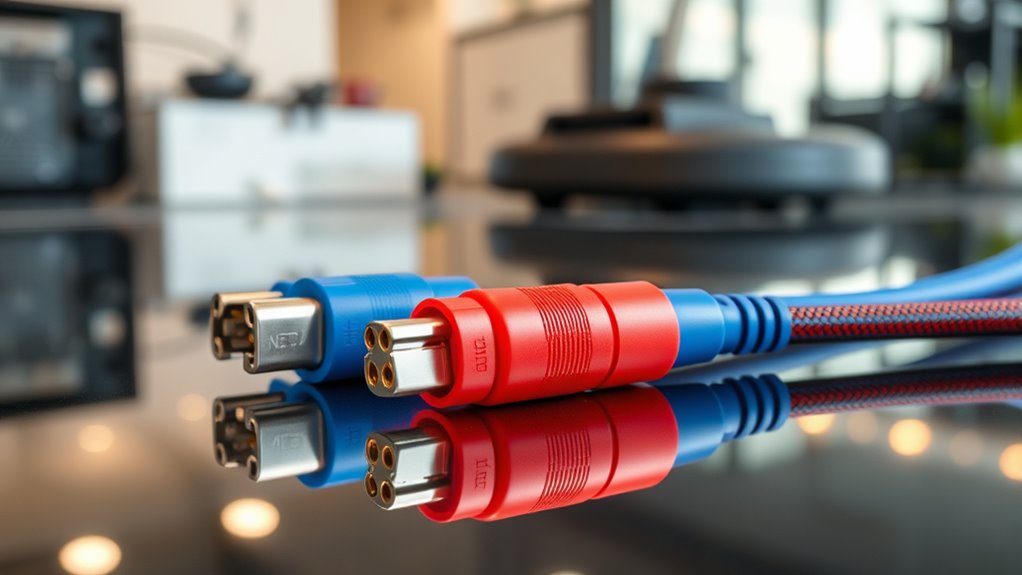

Choosing a robot cleaner firmware update cable starts with the connector and electrical requirements of the specific cleaner or battery interface. My first pick is the Teykst Mini-DIN 8-pin cable for buyers working with a compatible Roomba 600 Series unit; it names that cleaner family and lists support for several operating systems. The FT232RL Mini-DIN 7-pin cable is the more targeted option for Roomba battery configuration, but its listing does not establish broader cleaner or firmware compatibility. Both use 5V TTL signaling and measure 1.8 m, so the practical choice hinges on whether the target port is 7-pin or 8-pin and what the device documentation calls for. I would verify those details before ordering: a familiar USB-to-serial description cannot make mismatched pins or voltage work.

Get cleaning gear delivered free with Prime
- Fast, free delivery on millions of items
- Prime Video, Amazon Music and more included
- Member-only deals all year
Complete the kit


Key Takeaways
- The Teykst cable is the clearer match for a stated Roomba 600 Series application because its listing names that cleaner family and a Mini-DIN 8-pin plug.
- The FT232RL cable targets Roomba battery configuration and has a Mini-DIN 7-pin connector, a distinct fit from the Teykst 8-pin cable.
- Both listings specify 5V TTL and 1.8 m length; neither should be treated as compatible with equipment that calls for a different logic level.
- The Teykst listing names Windows, macOS, Linux and Android support, while the FT232RL listing does not provide comparable operating system details.
- Neither listing proves universal firmware-update support; check the exact model, port pinout, software and procedure before connecting either cable.
| Teykst USB to Mini-DIN 8-Pin TTL Serial Cable for iRobot Roomba 600 Series |  | Best Overall for Compatible Roomba 600 Series Cleaners | Brand: Teykst | Model: 2303GS-TTL5V-MD8P | Connectors: USB 2.0 Type-A male to Mini-DIN 8-pin male | VIEW ON AMAZON | See Our Full Breakdown |
| FT232RL USB-to-Serial Configuration Cable for Roomba Batteries, Mini-DIN 7-Pin, 1.8 m |  | Best for Roomba Battery Configuration | Brand: BTZGNDMIO | Chip: FT232RL | Signaling: 5V TTL | VIEW ON AMAZON | See Our Full Breakdown |
| robot cleaner firmware update cable | Brand | Cable length | Model | Connectors |
|---|---|---|---|---|
| Teykst USB to Mini-DIN 8-Pin T | Teykst | 1.8 m / 6 ft | 2303GS-TTL5V-MD8P | USB 2.0 Type-A male to Mini-DIN 8-pin male |
| FT232RL USB-to-Serial Configur | BTZGNDMIO | 1.8 m | — | — |
More Details on Our Top Picks
Teykst USB to Mini-DIN 8-Pin TTL Serial Cable for iRobot Roomba 600 Series
The Teykst earns my top position because it names a specific cleaner family: iRobot Roomba 600 Series. That makes its intended fit easier to evaluate than the FT232RL cable, whose stated job is configuring Roomba batteries rather than connecting to a named cleaner series. Its USB Type-A to Mini-DIN 8-pin arrangement is useful only when the target device has the matching port and calls for this cable type, but the listing gives buyers a concrete starting point for checking fit.
Its PL2303GS bridge chipset and stated support for Windows, macOS, Linux and Android make it the more thoroughly specified computer-side option in this pair. That breadth is helpful when a buyer already has a compatible serial utility or setup procedure for one of those platforms. It does not confirm that every software tool or operating system version will recognize the cable, so I would verify driver and application requirements before relying on that list.
The main tradeoff is that the cable uses 5V TTL logic. A Roomba or accessory requiring another voltage level is not a safe match simply because the connector looks right. Its stated Roomba 600 Series scope is also narrower than a general-purpose serial cable, and the listing does not establish support for other generations. Compared with the battery-focused FT232RL option, Teykst is the more suitable cleaner-side candidate when the 8-pin port and documented model line match; buyers working at a 7-pin battery interface should look at the other listing instead.
Pros:- Names the iRobot Roomba 600 Series as its intended application
- Lists USB Type-A to Mini-DIN 8-pin connectors
- Specifies a PL2303GS chipset and 5V TTL logic
- Lists Windows, macOS, Linux and Android support
Cons:- 5V TTL may not match the target device’s electrical requirements
- The stated Roomba compatibility is limited to the 600 Series application
- The listing does not identify specific firmware tools or procedures
Best for: Owners or repairers of a Roomba 600 Series model whose service instructions specify a Mini-DIN 8-pin, 5V TTL serial connection and who use one of the listed operating systems.
Not ideal for: People with a 7-pin battery interface, a device requiring a different signal voltage, or a Roomba model outside the stated 600 Series application without separate compatibility confirmation.
- Brand:Teykst
- Model:2303GS-TTL5V-MD8P
- Connectors:USB 2.0 Type-A male to Mini-DIN 8-pin male
- Chipset:PL2303GS
- Logic level:5V TTL
- Cable length:1.8 m / 6 ft
- Compatibility stated:iRobot Roomba 600 Series; Windows, macOS, Linux and Android
Our verdict“For a compatible Roomba 600 Series with an 8-pin 5V TTL interface, Teykst is the more clearly documented cleaner-side choice in this pair.”
FT232RL USB-to-Serial Configuration Cable for Roomba Batteries, Mini-DIN 7-Pin, 1.8 m
This cable has a narrower role than the Teykst: it is listed for Roomba battery configuration, with a Mini-DIN 7-pin connector. That specificity makes it the more relevant candidate for someone following battery service instructions that call for a 7-pin interface. It is not the default alternative for a cleaner with an 8-pin port. The connector difference between these two products is decisive; their shared 5V TTL label does not make them interchangeable.
The FT232RL chipset is clearly identified, and the 1.8 m length matches the Teykst cable. Those details let a buyer compare the hardware against a documented setup, though the listing gives fewer computer-side details: it does not name supported operating systems, software or particular battery models. The Teykst listing provides more to check when the task involves a named Roomba cleaner family, while this one points more directly to battery configuration.
I would choose it only after confirming that the battery or service interface calls for Mini-DIN 7-pin and 5V TTL. The product description does not say which Roomba batteries are supported, nor whether a particular configuration program recognizes the FT232RL adapter. Those gaps matter for repair work where an incorrect cable or procedure could prevent communication. For a buyer whose documentation specifies this exact connection, its focused purpose is useful; for general firmware work on a cleaner, Teykst has the stronger stated model fit.
Pros:- States Roomba battery configuration as its intended use
- Specifies a Mini-DIN 7-pin MD7 connector
- Identifies an FT232RL USB-to-serial chip
- Lists 5V TTL signaling and a 1.8 m cable
Cons:- Does not identify supported battery or Roomba models
- Operating system and configuration software support are not stated
- 5V TTL may not suit devices requiring another logic level
Best for: Repairers configuring a Roomba battery when the battery documentation specifies a 7-pin Mini-DIN connection with 5V TTL signaling.
Not ideal for: Buyers seeking a cable expressly matched to Roomba 600 Series cleaner firmware work, anyone needing an 8-pin plug, or users who need operating system and software compatibility documented in the product listing.
- Brand:BTZGNDMIO
- Chip:FT232RL
- Signaling:5V TTL
- Connector:Mini-DIN 7-pin MD7
- Cable length:1.8 m
- Intended use:Roomba battery configuration
- Number of items:1
Our verdict“Choose this cable for a documented Roomba battery setup that specifically requires a 7-pin 5V TTL connection, and confirm model support before use.”

How We Picked
I ranked these two options by how clearly their stated application, connector and electrical details map to a buyer’s actual robot or battery interface. For a roundup about firmware update cables, a cable’s USB-to-serial format alone is not enough: the Mini-DIN pin count, TTL logic level and documented device family all affect whether it is a sensible candidate. That is why the Teykst comes first for its expressly listed Roomba 600 Series application, rather than for any claim of universal compatibility.
I also weighed how much a buyer can verify before purchase. Teykst identifies its PL2303GS chipset, operating system range, connector pair and cable length. The FT232RL listing identifies its chipset, 7-pin connector, 5V signaling and battery-configuration purpose, making it a more specialized alternative. Its listing leaves the supported Roomba models and computer platforms unspecified. I treat those omissions as meaningful tradeoffs, not as proof that the cable cannot work.
Both products share a 1.8 m cable and 5V TTL signaling, so those traits do not distinguish them. I give priority to matching the documented job and physical interface, then to the specificity of compatibility information. Neither description confirms that the cable works with every firmware tool, every Roomba generation or every battery. Buyers should compare the product details with the exact device service documentation before attempting a connection.
| robot cleaner firmware update cable | Brand |
|---|---|
| Teykst USB to Mini-DIN 8-Pin T | Teykst |
| FT232RL USB-to-Serial Configur | BTZGNDMIO |
Factors to Consider When Choosing Robot Cleaner Firmware Update Cables
Before choosing between these cables, I would identify the exact interface and service task from the cleaner or battery documentation. The listings share a USB-to-serial format, 1.8 m length and 5V TTL signaling, but their connector pin counts and stated applications differ.Match the port before comparing chipsets
The clearest distinction is Mini-DIN 8-pin versus Mini-DIN 7-pin. Teykst lists the 8-pin plug for a Roomba 600 Series cleaner, while the FT232RL product lists a 7-pin plug for Roomba battery configuration. Count and identify the pins using the device documentation; do not choose by appearance alone. A connector that seems close may have a different pin arrangement, and neither listing claims that an adapter or alternate pinout is included.
Check voltage and signaling requirements
Both products specify 5V TTL. That is a useful comparison point, but it does not prove compatibility with a particular port. Confirm that the service instructions call for 5V TTL serial signaling before connecting the cable. If the device requires a different logic level or a different electrical interface, neither product is an appropriate match based on the details provided here. Connector fit and electrical fit must agree.
Separate cleaner firmware work from battery configuration
The roundup title covers firmware update cables, yet the listings describe different jobs. Teykst names a Roomba 600 Series cleaner; the FT232RL cable names battery configuration. A battery service connection does not automatically provide access to cleaner firmware, and a cable intended for a cleaner is not automatically suitable for a battery. Match the cable to the procedure and software documented for the exact component you plan to service.
Use chipset and computer support as tie-breakers
Teykst identifies a PL2303GS and lists Windows, macOS, Linux and Android. The other product identifies an FT232RL but does not state operating system support. These details can help when you already know which serial driver and program the service procedure requires. They cannot establish that a cable will work with every computer or configuration tool, so check the tool’s adapter requirements and current driver guidance.
Treat stated compatibility as a boundary
The Teykst listing gives a Roomba 600 Series application, while the FT232RL listing does not name specific battery or cleaner models. I would not extend either claim to other Roomba generations without confirmation from the device documentation or seller. Before ordering, compare the exact model number, port pinout, voltage, software and update procedure. This matters especially when the listing leaves one or more of those details unspecified.
Frequently Asked Questions
Can either cable be assumed to update firmware on any Roomba?
No. The Teykst listing names a Roomba 600 Series application, and the FT232RL cable is described for Roomba battery configuration. Neither listing says it supports every Roomba model or every firmware update method. I would check the exact service documentation for the device and the required software before treating either cable as a firmware update link.
Are the 7-pin and 8-pin cables interchangeable?
The listings specify different Mini-DIN pin counts, so I would not treat them as interchangeable. The Teykst cable has an 8-pin connector and the FT232RL product has a 7-pin connector. The matching physical port and pinout must be confirmed for the target cleaner or battery; similar connector shapes do not establish a matching wiring arrangement.
Does 5V TTL mean both cables will work with my device?
No. Both listings specify 5V TTL, but a device may require a different signal level or interface. Verify the electrical requirements in the relevant service instructions as well as the connector and pinout. If those instructions do not call for 5V TTL, these product descriptions do not establish a safe or compatible match.
Which cable is better for Roomba battery configuration?
The FT232RL cable is the listing that specifically states Roomba battery configuration and gives a Mini-DIN 7-pin connector. That makes it the more directly targeted option when the battery documentation calls for that interface. The listing does not identify supported battery models, so confirm the exact model and required software before choosing it.
What does the Teykst cable offer that the other listing does not?
Teykst identifies a Roomba 600 Series cleaner application, a PL2303GS chipset and support for Windows, macOS, Linux and Android. The FT232RL cable instead emphasizes battery configuration and a 7-pin connector, without listing operating systems or model-specific compatibility. Those distinctions make Teykst easier to assess for the stated cleaner use, provided the target unit has the required 8-pin 5V TTL interface.
Conclusion
For a buyer servicing a Roomba 600 Series cleaner with documented 8-pin, 5V TTL requirements, I would start with the Teykst cable because its stated model fit and operating system range are clearer. For someone configuring a battery whose instructions specify a 7-pin Mini-DIN connection, the FT232RL cable is the more focused match. If your model, pinout, voltage or software requirements remain unknown, confirm them before selecting either product; the shared USB-to-serial format alone does not settle compatibility.
Fall Picks
fall essentials
As an affiliate, we earn on qualifying purchases.