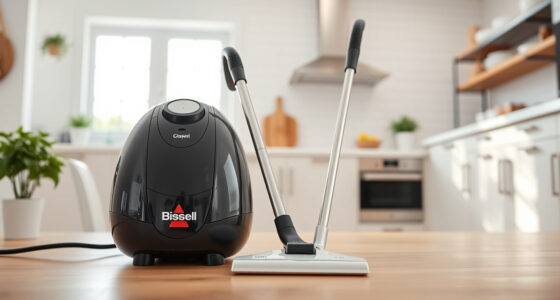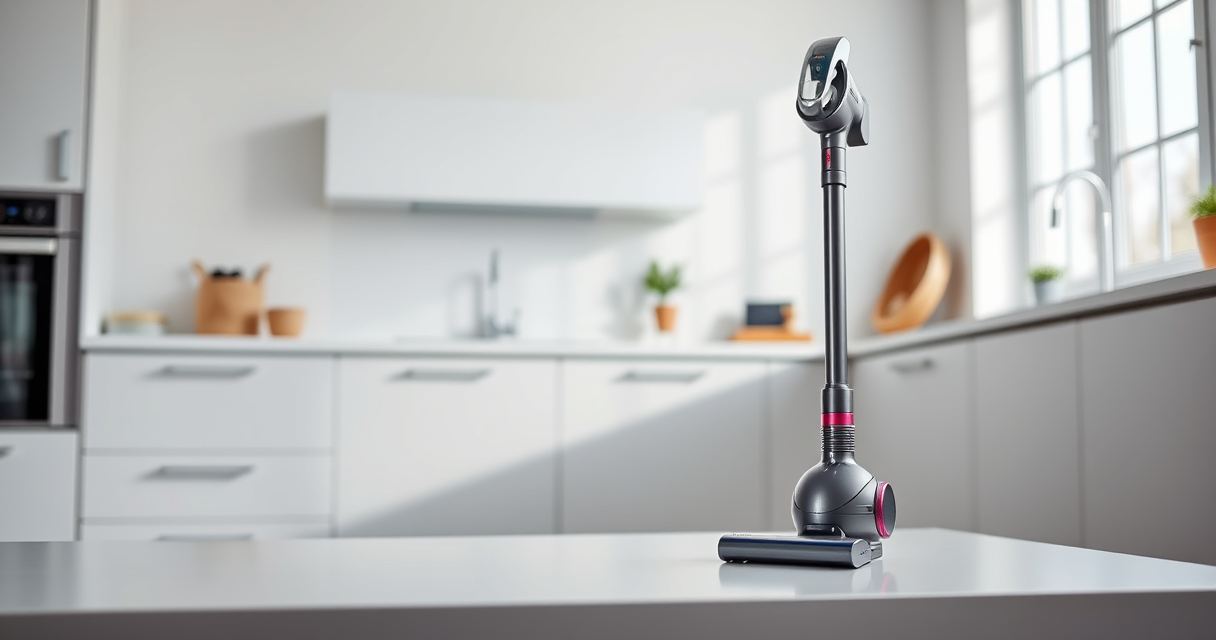

If your Dyson V15 Detect™ Origin Cordless Vacuum isn’t holding its charge as long as it used to, it can be frustrating. Over time, batteries naturally degrade, but other factors can accelerate this process. This guide helps you identify common causes and provides safe, practical fixes to extend your vacuum’s battery life.
Listen free for 30 days with Audible
Thousands of audiobooks and originals — cancel anytime.
Start your free trialAs an affiliate, we earn on qualifying purchases.
Follow these steps carefully to diagnose and resolve issues, ensuring your Dyson remains an effective cleaning tool for years to come.
Key Takeaways
| Battery wear | Over time, the battery capacity decreases, reducing run time. |
| Dirty filters | Clogged filters can strain the motor, affecting performance. |
| Charging habits | Incorrect charging practices can shorten battery lifespan. |
| Power mode settings | High power modes drain battery faster than necessary. |
| Accessory issues | Damaged or incompatible attachments can impact efficiency. |

Dyson V15 Detect™ Origin Cordless Vacuum
- Deep cleaning with intelligent dust detection: Reveals invisible dust for thorough cleaning
- Enhanced power and runtime: 100% more power, 60-minute battery life
- Energy-efficient power trigger: Uses power only when needed
As an affiliate, we earn on qualifying purchases.
Check the Battery Condition
- Ensure the vacuum is turned off and unplugged from the charger.
- Remove the battery pack following the manufacturer’s instructions.
- Visually inspect the battery for any swelling, corrosion, or damage.
- If the battery shows signs of damage, replace it with a genuine Dyson replacement or compatible high-quality battery.
Replace or Clean Filters
- Remove the pre-filters and main filters from your Dyson vacuum.
- Rinse the filters thoroughly with water and let them air dry completely (at least 24 hours).
- Reinstall the filters securely once dry.
- Dirty filters can cause the motor to work harder, leading to faster battery drain.
Optimize Charging Habits
Always use the original charger provided with your Dyson V15 and avoid leaving the vacuum on charge for extended periods after it’s fully charged. Aim to keep the battery between 20% and 80% for longevity. Avoid letting the battery completely discharge or stay at 0% for long durations.
Adjust Power Settings
Use the LCD screen to select the appropriate power mode for your cleaning task. Lower power modes conserve battery and are sufficient for hard floors and light debris. Reserve high power modes for deep cleaning, and switch back to save battery life.
Maintain Attachments and Accessories
Check that all attachments, such as the crevice tool, are in good condition and compatible. Damaged or incompatible tools can cause increased resistance, leading to quicker battery depletion.
The Products in This Guide

Dyson V15 Detect™ Origin Cordless Vacuum
- ✔ Charging Time: 3.5 hours
- ✔ Filtration: Advanced whole-machine filtration
- ✔ Dimensions: 48.3 x 9.8 x 10.4 inches

LANMU Crevice Tool Vacuum Attachments Compatible
- ✔ Nozzle Width: 1 inch
- ✔ Extension Length: 12 inches
- ✔ Material: ABS plastic
Dyson V15 Detect™ Origin Cordless Vacuum
The Dyson V15 Detect™ Origin offers impressive power, intelligent cleaning, and a long runtime of up to 60 minutes. Proper maintenance of the battery and filters is key to preserving its performance over time.
Pros:
- Powerful cleaning performance
- Intelligent debris detection
- Long battery life
- LCD display for real-time info
Cons:
- Battery may degrade over time
- Filters require regular cleaning
- Price premium for replacements
Best for: Deep cleaning homes with various floor types
Not ideal for: Users expecting indefinite battery life without maintenance
Bottom line: Regular maintenance extends your Dyson V15’s battery life and keeps it performing at its best.
LANMU Crevice Tool Vacuum Attachments Compatible
The LANMU Crevice Tool attachments are compatible with Dyson V15 and other models, making it easier to reach tight spots. A must-have for thorough cleaning in hard-to-access areas.
Pros:
- Narrow nozzle reaches tight spots
- Flexible and easy to maneuver
- Compatible with multiple Dyson models
- Helps remove hidden dust
Cons:
- Additional attachment cost
- Requires proper storage
Best for: Cleaning corners, car interiors, and between furniture
Not ideal for: Users looking for a standalone vacuum
Bottom line: A practical addition for detailed cleaning in tight spaces.
Frequently Asked Questions
How often should I replace the Dyson battery?
Typically, Dyson batteries last around 300-500 charge cycles. If you notice a significant drop in run time, consider replacing the battery with a genuine or high-quality compatible one.
Can I clean the filters myself?
Yes, most filters are washable. Rinse them with water, let them air dry completely, and reinstall. Regular cleaning helps maintain optimal suction and battery efficiency.
What should I do if my vacuum’s battery isn’t charging?
Check the charging cable and outlet for issues. If the charger is fine but the battery still won’t charge, it might need replacement or professional repair.
How can I improve my Dyson’s battery life?
Use the appropriate power mode, keep filters clean, avoid overcharging, and store the vacuum in a cool, dry place. Replacing an aging battery also restores run time.
Keep Your Dyson V15 Detect Running Like New
Proper maintenance, including regular filter cleaning and mindful charging habits, can significantly extend your Dyson vacuum’s battery life. When the battery starts to fail, replacing it with genuine parts ensures safety and performance. With these steps, you can maintain your vacuum’s power and enjoy efficient cleaning for years to come.
Affiliate disclosure: As an Amazon Associate we earn from qualifying purchases. Prices and availability are accurate as of the time of publishing.
Summer Picks
summer essentials
As an affiliate, we earn on qualifying purchases.