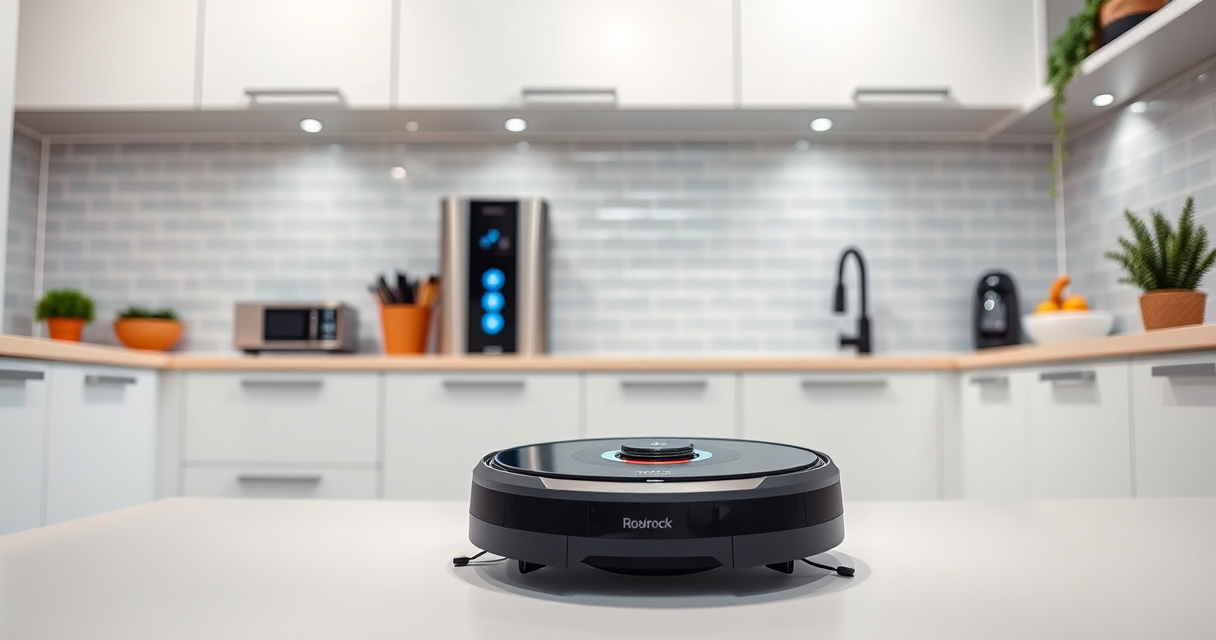
If your Roborock Q7 M5+ robot vacuum is frequently getting stuck, it can disrupt your cleaning routine and cause frustration. Understanding the common causes and knowing how to fix them can save you time and keep your home spotless. This guide provides practical, step-by-step solutions to help you troubleshoot and resolve stuck issues safely.

Get cleaning gear delivered free with Prime
- Fast, free delivery on millions of items
- Prime Video, Amazon Music and more included
- Member-only deals all year
Whether it’s an obstacle, navigation error, or a mechanical problem, we cover the main causes and effective fixes so your Roborock can operate smoothly again.
Key Takeaways
| Common Causes | Obstacles, tangled hair, or uneven surfaces can cause the vacuum to get stuck. |
| Prevention Tips | Regularly clear obstacles, clean sensors, and check for tangled hair. |
| Step-by-Step Fixes | Follow specific troubleshooting steps for quick resolution. |
| Safety First | Always power off the device before performing maintenance or fixes. |
Identify the Cause of the Stuck Issue
- Power off your Roborock Q7 M5+ and inspect the area for obstacles such as cables, small objects, or uneven surfaces.
- Check the robot’s bumper and sensors for dirt or obstructions that may impair navigation.
- Review the robot’s navigation map in the app to identify areas where it frequently gets stuck.
Clear Obstacles and Debris
- Remove any objects or clutter from the floor that could block the robot’s path.
- Check the wheels and brushes for tangled hair or debris; clean them thoroughly.
- Ensure the charging dock and surrounding area are clear to allow smooth movement.
Adjust Navigation Settings and Environment
- Use the Roborock app to set no-go zones for areas prone to causing stuck situations.
- Level uneven surfaces or rugs that may be causing the vacuum to lift or get stuck.
- Reduce clutter in high-traffic areas to facilitate smoother navigation.
Reset and Recalibrate the Vacuum
- Power off the device and perform a soft reset via the app or by holding the power button for 3 seconds.
- Reinstall the map in the app if needed, and run a short cleaning cycle to test improvements.
- Check the sensors and wheels for proper alignment after cleaning.
Tips and Warnings
- Regularly clean the sensors, wheels, and brushes to prevent tangles and navigation errors.
- Avoid placing cords or small objects on the floor where the robot cleans.
- Do not attempt repairs beyond cleaning and basic troubleshooting; contact support if problems persist.
The Products in This Guide

roborock Q7 M5+ Robot Vacuum and Mop
- ✔ Suction Power: 10000Pa
- ✔ Navigation: PreciSense LiDAR
- ✔ Self-Emptying: Up to 9 weeks

4 Pack Washable Filter
- ✔ Pack Size: 4 filters
- ✔ Material: HEPA
- ✔ Compatibility: Multiple Roborock models
roborock Q7 M5+ Robot Vacuum and Mop
The Roborock Q7 M5+ offers up to 7-9 weeks of self-emptying, 10000Pa suction, and a dual anti-tangle system, making it ideal for pet owners and thorough cleaning needs. Its PreciSense LiDAR navigation ensures precise mapping and navigation.
Pros:
- Powerful 10000Pa suction
- Self-emptying dust bag for weeks of use
- Anti-tangle system helps with pet hair
- Advanced LiDAR navigation
Cons:
- Higher price point
- Requires app setup
- May need occasional sensor cleaning
Best for: Pet owners and homes with high debris volume
Not ideal for: Small homes or minimal debris environments
Bottom line: A powerful, self-emptying robot ideal for pet hair and deep cleaning needs.
4 Pack Washable Filter
This 4-pack washable filter replacement is compatible with multiple Roborock models, including the Q7 series. It ensures optimal filtration and easy maintenance, helping your vacuum perform at its best.
Pros:
- Reusable and washable
- Easy to install
- True HEPA filtration
- Compatible with multiple models
Cons:
- Requires regular washing
- Not OEM but effective
- Replacement needed every few months
Best for: Maintaining air quality and filter performance
Not ideal for: Single-use filter preference
Bottom line: A cost-effective, washable HEPA filter to keep your air clean.
Frequently Asked Questions
Why does my Roborock keep getting stuck on the same spot?
This may be caused by obstacles, uneven surfaces, or dirty sensors. Clear obstacles, clean sensors, and consider setting no-go zones in the app.
How often should I clean the sensors and brushes?
It’s recommended to clean sensors and brushes weekly, especially if you have pets or high dust levels, to maintain optimal navigation.
Can I prevent my Roborock from getting stuck?
Yes, by removing clutter, leveling surfaces, and setting virtual boundaries in the app, you can significantly reduce the chances of getting stuck.
What should I do if my vacuum still gets stuck after troubleshooting?
Perform a factory reset and recalibration, then contact Roborock support for further assistance if issues persist.
Keep Your Roborock Running Smoothly
Regular maintenance, environment adjustments, and troubleshooting can greatly reduce the chances of your Roborock Q7 M5+ getting stuck. Proper care ensures it provides consistent, efficient cleaning for your home. Stay proactive and enjoy hassle-free automation!
Affiliate disclosure: As an Amazon Associate we earn from qualifying purchases. Prices and availability are accurate as of the time of publishing.
Halloween Picks
halloween
As an affiliate, we earn on qualifying purchases.