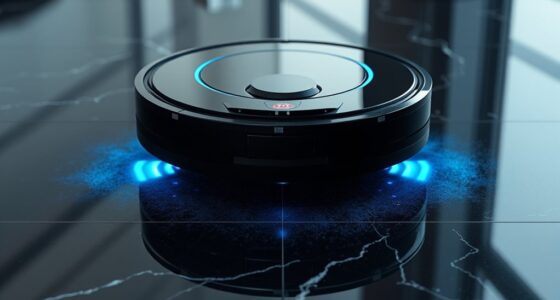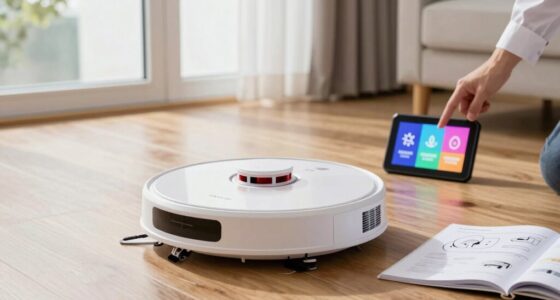
Roborock robot vacuums are known for their powerful cleaning capabilities and smart navigation. To ensure your device continues to operate efficiently and lasts for years, regular maintenance is essential. This guide provides practical, step-by-step instructions for cleaning, troubleshooting common issues, and keeping your Roborock in top shape.

Get cleaning gear delivered free — and shop member deals
- Fast, free delivery on millions of items
- Access to Prime Big Deal Days deals on October 6–7
- Prime Video, Amazon Music and more included
Whether you’re a new owner or a seasoned user, understanding proper maintenance routines will help you avoid costly repairs and minimize downtime. Let’s dive into the specific steps you should follow to keep your Roborock vacuum running smoothly.
Key Takeaways
| Regular Cleaning | Clean filters, brushes, and sensors regularly to maintain suction and navigation. |
| Empty Dust Bin & Self-Empty System | Ensure the dust bag or self-empty dock is emptied as recommended. |
| Check for Tangling & Blockages | Inspect brushes and wheels for pet hair or debris that may cause jams. |
| Update Firmware & App Settings | Keep software up-to-date for optimal performance and new features. |
| Troubleshoot Common Issues | Identify and fix navigation errors, poor suction, or charging problems quickly. |
Preparing for Cleaning & Safety Tips
- Power off your Roborock vacuum and unplug it from charging if connected.
- Remove the dust bin and empty the sealed dust bag if applicable, or empty the self-empty dock. Ensure the dust compartment is dry before reassembling.
- Inspect the main brush, side brushes, and wheels for tangled pet hair or debris. Detach and clean these parts carefully.
- Use a soft, damp cloth to wipe sensors, charging contacts, and the body of the robot. Avoid harsh chemicals that can damage plastic or sensors.
- Check for any visible damage or wear, especially on brushes and wheels, and replace parts if necessary.
Safety is paramount — always turn off and unplug the device before performing maintenance, and handle parts gently to avoid damage.
Cleaning the Brushes and Wheels
- Remove the main brush by releasing the brush cover and pulling it out carefully.
- Use a cleaning tool or scissors to cut away hair and fibers wrapped around the brush.
- Wash the brush with water if recommended by the manufacturer, and dry thoroughly before reinstalling.
- Detach the side brushes and clean the hubs and brush attachments with a dry cloth or brush.
- Inspect the wheels for debris and dirt; clean with a damp cloth if needed, ensuring no dirt remains in the wheel axles.
Regularly cleaning these moving parts ensures optimal suction and prevents jams or mechanical wear.
Replacing & Maintaining Filters
The Roborock Q7 M5+ uses a washable filter system, which can be cleaned regularly to prolong its effectiveness. For deep cleaning or when the filter appears worn out, replacing it is recommended.
- Remove the filter from the dust compartment.
- Rinse the filter under cold water, gently squeezing to remove dirt. Do not use soap or harsh detergents.
- Allow the filter to air dry completely for at least 24 hours before reinserting. Never operate the vacuum with a wet filter.
- Replace the filter if you notice significant damage or persistent odor despite cleaning, ideally every 2-3 months.
Using high-quality, washable filters like the 4 Pack Washable Filter can help maintain suction and extend the lifespan of your vacuum.
Updating Software & Troubleshooting Common Issues
Keep your Roborock app and device firmware updated to access the latest features and improvements. Regular updates often fix bugs affecting navigation, suction, or connectivity.
- Open the Roborock app and check for firmware updates under device settings.
- If your vacuum exhibits issues such as navigation errors or unresponsive controls, restart the device and reset the Wi-Fi connection if necessary.
- For poor suction, ensure filters and brushes are clean and correctly installed.
- If the vacuum doesn’t charge, check the charging contacts and replace the charging dock if damaged.
Consult the troubleshooting section of the app or manual for specific error codes or persistent problems.
Tips for Long-Term Maintenance & Performance
- Schedule weekly cleaning of brushes, filters, and sensors.
- Replace mop pads and filters periodically to avoid dirt buildup and maintain cleaning quality.
- Use the self-empty dock regularly to reduce manual dust disposal.
- Store your Roborock in a cool, dry place when not in use for extended periods.
- Monitor battery health over time and replace if charging cycles diminish significantly.
Following these tips will help maximize your vacuum’s lifespan and ensure consistently high cleaning performance.
The Products in This Guide

roborock Q7 M5+ Robot Vacuum and Mop
- ✔ Weight: Approx 7.5 lbs
- ✔ Charging Time: 3-4 hours
- ✔ Dimensions: 13 x 13 x 3.8 inches

4 Pack Washable Filter
- ✔ Weight: Lightweight
- ✔ Dimensions: Standard HEPA size
- ✔ Material: Polypropylene
roborock Q7 M5+ Robot Vacuum and Mop
The Roborock Q7 M5+ Robot Vacuum and Mop offers powerful suction, self-emptying capability, and pet hair management, making it ideal for busy households. Regular maintenance will keep it performing at its best.
Pros:
- Powerful 10000Pa suction
- Up to 9 weeks self-emptying
- Dual anti-tangle system
- Precise LiDAR navigation
Cons:
- Requires regular filter cleaning
- Self-empty dock may need occasional emptying
- Initial setup can be complex
Best for: Pet owners and busy households needing low-maintenance cleaning
Not ideal for: Users looking for a budget-friendly, basic robot vacuum
Bottom line: Roborock Q7 M5+ offers advanced features with low maintenance needs, ideal for pet owners.
4 Pack Washable Filter
This 4 Pack Washable Filter set is compatible with multiple Roborock models and offers a sustainable, cost-effective way to keep your vacuum performing optimally.
Pros:
- Washable and reusable
- Compatible with many models
- Maintains high filtration efficiency
- Easy to install
Cons:
- Requires regular cleaning
- Not OEM, might differ slightly in fit
- Replacement needed every few months
Best for: Users seeking environmentally friendly maintenance solutions
Not ideal for: Those preferring OEM parts for guaranteed fit
Bottom line: A cost-effective, eco-friendly filter option that maintains high filtration standards.
Frequently Asked Questions
How often should I clean the brushes on my Roborock vacuum?
It is recommended to clean the brushes weekly, especially if you have pets, to prevent hair tangling and maintain suction efficiency.
Can I use regular water to rinse the filters?
Yes, you can rinse washable filters with cold water. Make sure they are completely dry before reinstalling to avoid damage or mold growth.
What should I do if my Roborock is not charging?
Check the charging contacts and ensure they are clean. Also, verify the power outlet and replace the charging dock if damaged.
How do I update the firmware of my Roborock?
Open the Roborock app, connect to your device, and check for firmware updates in the device settings. Follow prompts to install updates.
What’s the best way to troubleshoot navigation errors?
Ensure sensors are clean, update firmware, and remove any obstacles or clutter that may interfere with the robot’s path. Reboot the device if needed.
Keep Your Roborock Running Like New with Regular Care
Proper maintenance is key to getting the most out of your Roborock robot vacuum. Regularly cleaning brushes, filters, and sensors, along with timely updates and troubleshooting, will ensure your device continues to deliver powerful, efficient cleaning. With these simple steps, you can enjoy a cleaner home and longer-lasting equipment.
Remember, a little routine maintenance goes a long way — your Roborock will thank you with consistent performance day after day.
Affiliate disclosure: As an Amazon Associate we earn from qualifying purchases. Prices and availability are accurate as of the time of publishing.
Fall Picks
fall essentials
As an affiliate, we earn on qualifying purchases.