When your cleaning robot loses connectivity, it can no longer receive control commands, updates, or alerts. As a result, it may revert to basic cleaning routines, skip areas, or clean less thoroughly. Without access to firmware updates, it risks glitches and reduced efficiency over time. Important notifications like low battery or full dustbin won’t reach you, risking interruptions. Keep uncovering how connectivity impacts your robot’s performance to guarantee it stays peak.

Get cleaning gear delivered free — and shop member deals
- Fast, free delivery on millions of items
- Access to Prime Big Deal Days deals on October 6–7
- Prime Video, Amazon Music and more included
Key Takeaways
- The robot cannot receive real-time instructions or updates, impairing optimal cleaning performance.
- Firmware and software updates are inaccessible, leading to potential glitches and outdated features.
- It reverts to basic cleaning routines, possibly skipping areas and reducing overall efficiency.
- Notifications about issues like full dustbins or low battery cannot be sent, hindering maintenance.
- Connectivity loss can cause disorganized cleaning, premature shutdowns, or incomplete cleaning cycles.
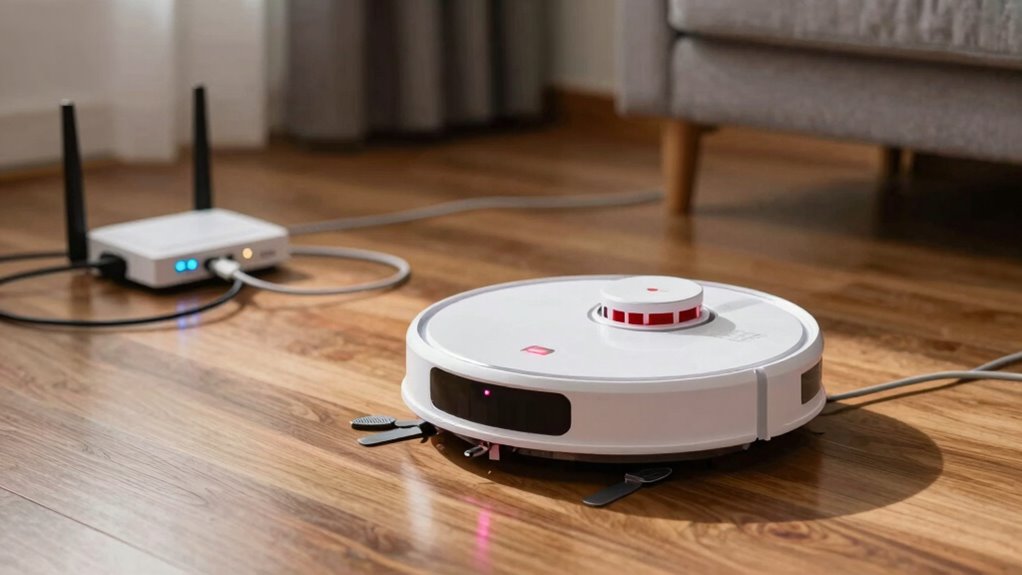
Have you ever wondered how cleaning robots seamlessly coordinate their tasks? It’s quite fascinating how they work together to keep your space tidy without you needing to lift a finger. At the core of this smooth operation is their connectivity—when they stay connected to your Wi-Fi or smart home system, they can communicate, receive updates, and adapt their cleaning routines. However, what happens when that connection drops? It might seem like a small hiccup, but it can substantially impact how your robot functions.
Connectivity keeps your cleaning robot synchronized, updated, and efficient—loss of connection can disrupt its performance and communication.
When a cleaning robot loses connectivity, it can’t access the cloud or the app that controls it. This means it can’t receive real-time instructions, firmware updates, or schedule changes. Firmware updates are essential because they often include bug fixes, performance improvements, and new features that keep your robot running efficiently. Without these updates, your robot might become less effective over time, or worse, encounter glitches that could hinder its cleaning performance. It’s like trying to operate a smartphone without the latest software—it just doesn’t work as smoothly. Additionally, many models depend on cloud data to optimize their cleaning routines, which is lost during disconnection.
Another key aspect affected by lost connectivity is the robot’s ability to optimize its cleaning routes. Many models rely on mapping technology and cloud data to determine the most efficient way to cover every inch of your home. When disconnected, the robot might revert to basic cleaning routines, skipping some areas or cleaning less thoroughly. Additionally, if your robot has a battery life that isn’t managed properly, losing connection can cause it to miscalculate its remaining battery capacity. Without updates and accurate data, it might return to its dock prematurely or run out of power mid-clean, leaving spots untouched. Ensuring your home network is stable and reliable can help prevent these issues. Proper maintenance of connectivity and regular checks on your home’s network can help prevent these issues.
You might also notice that your robot can’t send you notifications or alerts about issues like full dustbins, stuck brushes, or low battery. This lack of communication can leave you unaware of problems that need your attention. If the robot’s firmware isn’t up-to-date, it could be more prone to errors during disconnection, since updates often include fixes for connectivity-related bugs. Moreover, many cleaning robots depend on a stable internet connection to perform firmware updates automatically. Without these updates, you could be missing out on critical improvements that help prevent disconnection issues altogether.
In essence, losing connectivity doesn’t just mean your robot stops working—it affects its ability to operate at peak efficiency, to stay current with the latest features, and to communicate effectively. Ensuring your robot maintains a stable connection, keeps its firmware updated, and manages its battery life well can help minimize these disruptions. Additionally, understanding robot connectivity and how it impacts performance is crucial for maintaining your device’s longevity. When your cleaning robot stays connected and updated, it’s more likely to deliver the spotless results you expect, without interruptions or surprises.
Wi-Fi extender for smart home devices
As an affiliate, we earn on qualifying purchases.
As an affiliate, we earn on qualifying purchases.
Frequently Asked Questions
Can a Cleaning Robot Function Offline Indefinitely?
A cleaning robot can’t function offline indefinitely because it relies on connectivity for remote control updates and troubleshooting. When disconnected, it continues cleaning based on its last settings but may not get real-time commands or adjustments. Battery management becomes essential, as the robot might not return to its dock properly if connectivity issues prevent it from communicating. Ultimately, without connectivity, its operation is limited and less efficient.
How Does Connectivity Loss Affect the Robot’s Cleaning Schedule?
When your cleaning robot loses connectivity, your remote control won’t work, and the robot might stop mid-clean. Without updates, it could miss scheduled sessions or delay returning to its dock. As the battery drains faster without communication, you risk leaving dirt behind. You’ll need to manually restart or reset it, adding stress to your routine. Stay alert—connectivity loss can turn a smooth schedule into unexpected chaos.
Will the Robot Return to Its Charging Dock Without Wi-Fi?
Without Wi-Fi, your cleaning robot typically won’t return to its charging dock automatically. You’ll need to perform remote troubleshooting via the app or manually guide it back. To conserve power, it might stay in its last cleaning spot longer or enter a low-power state. Keep in mind, a loss of connectivity can limit remote control, so regular manual checks help guarantee it returns to the dock correctly.
Can Connectivity Issues Damage the Robot’s Hardware?
Connectivity issues can be a ticking time bomb for your robot’s hardware. While losing Wi-Fi alone doesn’t usually cause hardware risk, persistent disconnections might cause the robot to malfunction or overheat if it can’t communicate properly. To protect your device, make certain your robot has good connectivity resilience, like strong signal strength and regular updates. Otherwise, repeated issues could strain internal components, making hardware damage more likely over time.
How Do Firmware Updates Work Without an Internet Connection?
Firmware updates often require an internet connection, but for offline maintenance or firmware troubleshooting, you can manually download the updates to a USB drive or computer. Then, transfer the files to your robot via its local interface. This process allows you to keep your cleaning robot up-to-date even without internet, ensuring continued performance and security. Always follow manufacturer instructions for safe and effective offline firmware updates.
Conclusion
When your cleaning robot loses connectivity, it’s like losing a trusted sidekick in your battle against dirt—utter chaos ensues! Without a connection, your robot can’t receive commands or send updates, leaving messes to fester and grow. But don’t panic; simply resetting your Wi-Fi or reconnecting the device can restore order faster than you can say “clean sweep.” Stay connected, stay in control, and keep your home spotless effortlessly!
Halloween Picks
halloween
As an affiliate, we earn on qualifying purchases.