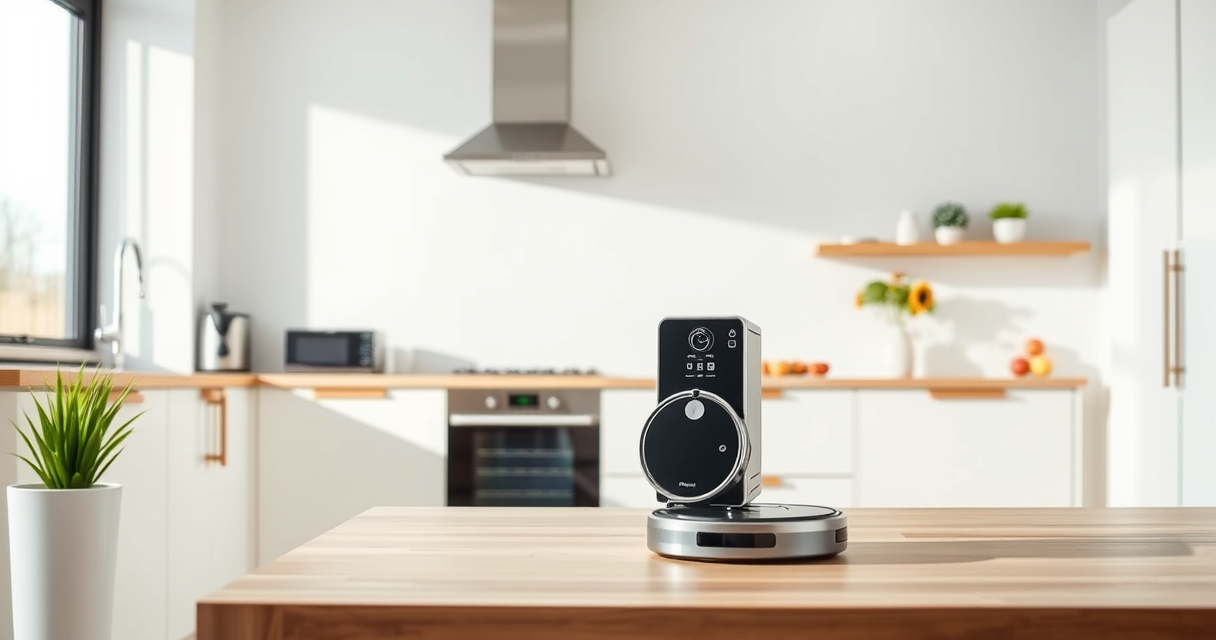
Getting your Roborock Q7 M5+ ready for action is straightforward, but following the correct setup process ensures optimal cleaning and longevity. This guide walks you through each step to help you confidently set up your robot vacuum and mop.
Whether you’re a first-time user or upgrading from an older model, these instructions will help you get your device running smoothly and safely.
Key Takeaways
| Easy setup | Step-by-step instructions for initial setup. |
| Optimal cleaning | Proper installation of filters and mop pads enhances performance. |
| Safety first | Important warnings to avoid damage or injury. |
| Maintenance tips | Keep your robot in top condition with simple upkeep. |

roborock Q7 M5+ Robot Vacuum and Mop, Upgraded from Q5 Max+, Up to 7-9 Weeks Self-Empty, 10000Pa Suction, Dual Anti-Tangle System for Pet Hair & Carpet, PreciSense LiDAR Navigation, App Control, Black
- Long-Lasting Self-Emptying: Up to 7-9 weeks with 2.7L dust bag
- Powerful Suction: 10000Pa for deep cleaning on all surfaces
- Anti-Tangle Brush System: Dual design resists pet hair wrap
As an affiliate, we earn on qualifying purchases.
Unbox and Prepare Your Roborock Q7 M5+
- Remove the robot vacuum, charging dock, and accessories from the packaging.
- Place the charging dock against a wall in an open area, ensuring at least 1 meter of clearance on each side and 2 meters in front.
Install the Dust Bag and Filters
- Open the dust compartment and insert the 2.7L sealed dust bag, ensuring it clicks into place.
- If using a washable HEPA filter, install it securely in the designated slot. Consider replacing with the recommended washable filter pack for best results.
Attach Mop Pads (if applicable)
- Choose the appropriate mop pad for your model. For the Roborock Q7, use a compatible microfiber mop pad, ensuring it is properly attached to the mop attachment.
- Wash and reattach mop pads regularly to maintain cleaning efficiency.
Power On and Connect via App
- Press and hold the power button on the robot until it powers on.
- Download the Roborock app from your app store, create an account, and connect your device via Wi-Fi following on-screen instructions.
Initial Test and Safety Tips
- Place the robot on a flat surface and run a quick cleaning cycle to ensure proper operation.
- Keep the area clear of small objects, cords, or fragile items during the first run.
- Ensure the robot’s sensors and brushes are clean and unobstructed to prevent tangles or malfunctions.
The Products in This Guide

roborock Q7 M5+ Robot Vacuum and Mop
- ✔ Self-Emptying: Yes
- ✔ Pet Hair Tangle System: Yes
- ✔ App Control: Yes

4 Pack Washable Filter
- ✔ Washable: Yes
- ✔ Pack Size: 4 filters
- ✔ Compatibility: Multiple models
roborock Q7 M5+ Robot Vacuum and Mop
The Roborock Q7 M5+ offers powerful suction, a self-emptying dust system, and advanced navigation, making it a versatile choice for comprehensive home cleaning.
Pros:
- Up to 7-9 weeks of self-emptying
- 10000Pa suction power
- Dual anti-tangle system
- App control for customization
Cons:
- May require periodic filter cleaning
- Mop attachment not included in basic setup
- Initial setup requires app configuration
Best for: Pet owners, large homes, deep cleaning enthusiasts
Not ideal for: Small spaces with tight corners, minimal maintenance households
Bottom line: A high-performance robot vacuum perfect for deep cleaning and pet hair management.
4 Pack Washable Filter
This 4-pack of washable filters ensures your Roborock maintains optimal filtration and suction performance. Easy to install and clean, it prolongs your robot’s lifespan.
Pros:
- Cost-effective
- Reusable and washable
- Maintains high filtration efficiency
- Compatible with multiple models
Cons:
- Requires periodic cleaning
- Not OEM, but performs equally well
- Replacement needed every few months
Best for: Long-term maintenance and cost savings
Not ideal for: Users seeking OEM-specific filters only
Bottom line: A practical, cost-efficient choice for maintaining your robot’s filtration system.
Frequently Asked Questions
How often should I replace the filters?
Washable filters should be cleaned every 1-3 months, and replaced every few months depending on usage.
Can I use third-party mop pads?
Yes, but ensure they are compatible with your model to avoid damage or poor fit. The recommended microfiber pads are best for performance.
What should I do if the robot gets tangled?
Use the dual anti-tangle system and regularly check the brushes and sensors for hair or debris buildup.
How do I update the firmware?
Connect your Roborock to the app, and follow prompts to download and install the latest firmware updates.
Ready for a Spotless Home with Your Roborock Q7 M5+
Following these setup steps will ensure your Roborock Q7 M5+ is properly configured for efficient, safe, and thorough cleaning. Regular maintenance and app updates will keep your device performing at its best, making your cleaning routines effortless and effective.
Affiliate disclosure: As an Amazon Associate we earn from qualifying purchases. Prices and availability are accurate as of the time of publishing.